Why Your Business Needs a CRM: Top Benefits in 2026

A prospective client fills in the contact form on your website at 4:50 on a Friday. The notification lands in a shared inbox that three people check and nobody owns. On Monday, everyone assumes someone else replied. By Wednesday the prospect has booked with the firm down the road, and you never find out they existed.
We hear a version of this story in almost every first conversation we have with a small service business. Sometimes it's an accounting firm, sometimes a physical therapy practice or a boutique hotel's events team. The people are good at their jobs. The problem is that customer information lives in inboxes, spreadsheets, sticky notes and one person's memory, and none of those talk to each other.
A customer relationship management (CRM) system is the fix. This article is for owners and managers who have never had one and want to know, in plain English, what actually changes when you do. We'll walk through ten benefits we see in real rollouts, the signs you need a CRM now, and what a CRM won't fix on its own.
What Is a CRM, in Plain English?
A CRM is a shared database of the people and companies you do business with, plus a record of every interaction: emails, calls, meetings, proposals and support requests. Around that database sit tools for managing a sales pipeline, sending marketing emails, handling service requests and reporting on all of it.
In HubSpot, that shared database is called the Smart CRM, and the tools on top are organized into hubs: Marketing Hub for forms and email, Sales Hub for pipelines and follow-up, Service Hub for tickets, plus Content, Commerce and Data Hubs. Other platforms package things differently, but the idea is the same: one record per customer that everyone can see.
The difference from a spreadsheet is simple. A spreadsheet stores a list. A CRM stores a history, and it can act on it.
What Are the Top Benefits of a CRM in 2026?
1. No more lost leads
Every form submission, chat, call and email inquiry becomes a record with an owner. If nobody touches it within a set time, the CRM can reassign it or nudge a manager. The Friday-afternoon inquiry from our opening shows up on Monday morning as an overdue task with someone's name on it.
For many of the service businesses we work with, this one benefit pays for the system. You don't always need more leads. You need to stop losing the ones you already get.
2. One shared view of every customer
When a client calls, whoever picks up can see the full picture: the proposal sent in March, last week's billing question, the fact that they were referred by one of your best clients. Nobody asks them to repeat themselves.
For a professional services firm, a partner covering for a colleague on vacation can step into a relationship without a long handover. For a clinic, front-desk staff know a patient's preferred contact method and outstanding paperwork before they answer. One caution for healthcare teams: keep clinical details in your EHR unless your CRM setup is approved for protected health information, and ask the vendor whether it will sign a business associate agreement.
3. Faster, more consistent follow-up
The firm that responds first with something useful often wins the work. A CRM lets you set a standard first response, such as an acknowledgment email with a booking link, so every inquiry gets the same quality of reply, even in your busiest week.
4. A pipeline you can actually see
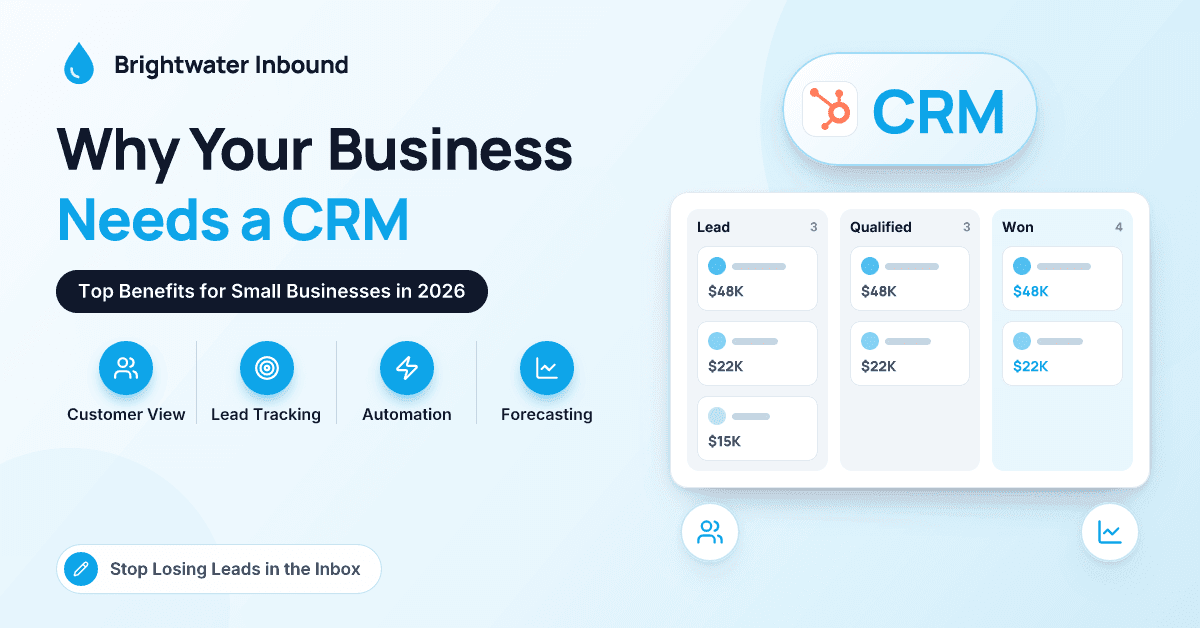
Instead of asking "where are we with that new dental group?" in a meeting, you look at a board. Deals sit in stages you define, such as inquiry, discovery call, proposal sent, verbal yes and signed. A visible pipeline also exposes process problems. If proposals routinely sit at "sent" for three weeks, that's a conversation worth having, and now you have the evidence.
5. Forecasting you can plan around
Once deals have stages, values and expected close dates, the CRM can roll them up into a forecast. It won't be perfect at first, but it beats a gut feeling when you're deciding whether to hire another associate or sign a longer lease. After a few quarters you'll know your real conversion rates by stage, and the forecast gets steadily more honest.
6. Automation for the repetitive work
Every small business has tasks someone does by hand dozens of times a week: sending the intake packet, chasing an unsigned engagement letter, creating an onboarding checklist when a deal closes, asking for a review. A CRM's workflow tools can run these on triggers. Start with two or three, not twenty. In HubSpot, the more powerful workflow tools generally sit in the Professional tiers, so check what your plan includes.
7. Better service and fewer dropped balls
Service requests arriving by email, phone and chat can become tickets with owners, priorities and due dates (in HubSpot, that's Service Hub's help desk). Because tickets sit on the same customer record as deals, your account manager can see that a client has had three open issues this month before calling about a renewal.
8. Reporting that answers real questions
Which referral sources bring in your best clients? How long does a typical proposal take to close? Without a CRM, answering those means someone loses a weekend to spreadsheets. With one, they're saved reports. The most useful are rarely fancy: leads by source, win rate by stage, time to close and revenue by service line.
9. Knowledge that stays when people leave
When your best business developer moves on, what goes with them? Without a CRM, often their relationships, follow-up schedule and sense of which prospects were warm. With one, every logged email, note and next step stays. The new hire inherits a book of business, not a blank slate.
10. AI that has something to work with
Most CRMs now include AI. HubSpot's is called Breeze, and it covers things like summarizing a contact's history, drafting follow-up emails and agents that handle specific jobs such as answering common customer questions. These features depend entirely on the data underneath; an AI assistant can't summarize a relationship that lives in someone's head. Every month of clean customer history makes next year's tools more useful.
CRM Benefits at a Glance
| Benefit | What it fixes | What it looks like day to day |
|---|---|---|
| No lost leads | Inquiries falling through shared inboxes | Every inquiry has an owner and a due date |
| Shared customer view | Clients repeating themselves | Full history visible to whoever picks up |
| Visible pipeline | "Where are we on this?" meetings | A board of deals by stage |
| Forecasting | Hiring and spending on gut feel | Weighted pipeline by month or quarter |
| Automation | Repetitive admin | Intake packets, reminders and tasks sent on triggers |
| Service tracking | Lost support requests | Tickets with owners, priorities and due dates |
| Reporting | Weekend spreadsheet sessions | Dashboards for source, win rate and time to close |
What Are the Signs You Need a CRM Now?
Not every business needs a CRM on day one. A solo consultant with a dozen clients can manage with a good calendar and a notebook. But if three or more of these sound familiar, you've probably outgrown that:
- You've lost a lead or a client because a follow-up slipped, and only found out later.
- Your customer "database" is a spreadsheet with several versions floating around, all slightly wrong.
- When someone is out sick, nobody else can pick up their client conversations.
- You can't say with any confidence how much work will close next month.
- You're spending on marketing but can't tell which channel brings clients who actually sign.
What Won't a CRM Fix on Its Own?
A CRM is a tool, and it fails in predictable ways.
It won't fix an undefined process. If your team can't agree what a "qualified lead" is, the CRM will faithfully record the confusion. Agree on your stages first.
It won't fix adoption by itself. If the owner doesn't use it, nobody will for long. Run your weekly pipeline meeting from the CRM and nowhere else.
It won't fix bad data. Importing a ten-year-old spreadsheet full of duplicates gives you a cluttered system on day one. Clean it first, or import only active contacts.
How Do You Get Started Without Overbuying?
For most first-time buyers, we suggest a simple sequence:
- Write down your sales stages, from first contact to signed client, on one page.
- List the five things that go wrong most often today. Those are your real requirements.
- Test two or three CRMs with your actual process, not the vendor's demo script. Our guide on how to choose the right CRM system for your business walks through that comparison.
- Start small: contacts, one pipeline, email integration and two automations. Review after 60 days.
When you're ready to roll out, these CRM implementation best practices cover data migration and adoption. If you're unsure whether you need a CRM or something broader, this explainer on ERP vs CRM is a good starting point.
Key takeaway: The biggest benefit of a CRM for a small business usually isn't a feature. It's that customer information stops living in people's heads and inboxes, so leads stop slipping, handovers stop hurting and decisions rest on real numbers.
Conclusion
A CRM earns its place by fixing ordinary, expensive problems: the lead nobody answered, the client who repeated their story, the forecast that was really a guess. In 2026 there's an extra reason, because the AI features vendors keep shipping only work when your customer history lives in one place. You don't need the biggest platform. You need a clear process, a system your team will actually open every morning and a small first rollout to build on. If you're weighing your first CRM and want a plain-English second opinion, the team at Brightwater Inbound is always happy to talk it through.
Frequently Asked Questions
Is a CRM worth it for a business with fewer than 10 people?
Often, yes, especially if more than one person talks to clients or prospects. The value comes from shared history and reliable follow-up, not from team size. A small team can start on an entry-level plan and pay for more only when the need is clear.
How long does it take to set up a CRM?
For a small service business with a simple sales process, a focused first rollout often takes a few weeks, including importing contacts, building one pipeline, connecting email and training the team. Multiple pipelines, integrations and a service desk take longer. Agreeing on your process before you start is the biggest time saver.
Does HubSpot have a free CRM?
HubSpot offers free tools built on its Smart CRM that cover contact management, deal tracking and basic email and meeting features. Paid Starter, Professional and Enterprise tiers add automation, deeper reporting and more AI capability. Plan contents change, so check HubSpot's current plan details before you decide.
How much does a CRM cost for a small business?
Most CRMs charge a monthly or annual subscription per user, with higher tiers adding automation and reporting; some marketing tools, including HubSpot's Marketing Hub, also price partly by the number of marketing contacts. Budget for setup help, training and integrations as well. Compare total cost over two or three years rather than the entry price, and check current vendor pricing.