How to Choose the Right CRM System for Your Business

Most of the CRM projects we're asked to rescue weren't bad choices on paper. The owner sat through four demos, picked the platform with the slickest pipeline view and the longest feature list, and signed an annual contract. Three months later the sales team was back in a spreadsheet, because logging a deal took eleven clicks and nobody had decided what a "qualified" lead actually was.
Choosing a CRM is less about finding the best software and more about finding the best fit for how your team sells and serves clients. This guide is for owners and managers at small and mid-size businesses, especially service firms and hospitality teams, who are buying a CRM for the first time or replacing one that didn't stick. If you're still deciding whether you need one at all, start with why your business needs a CRM.
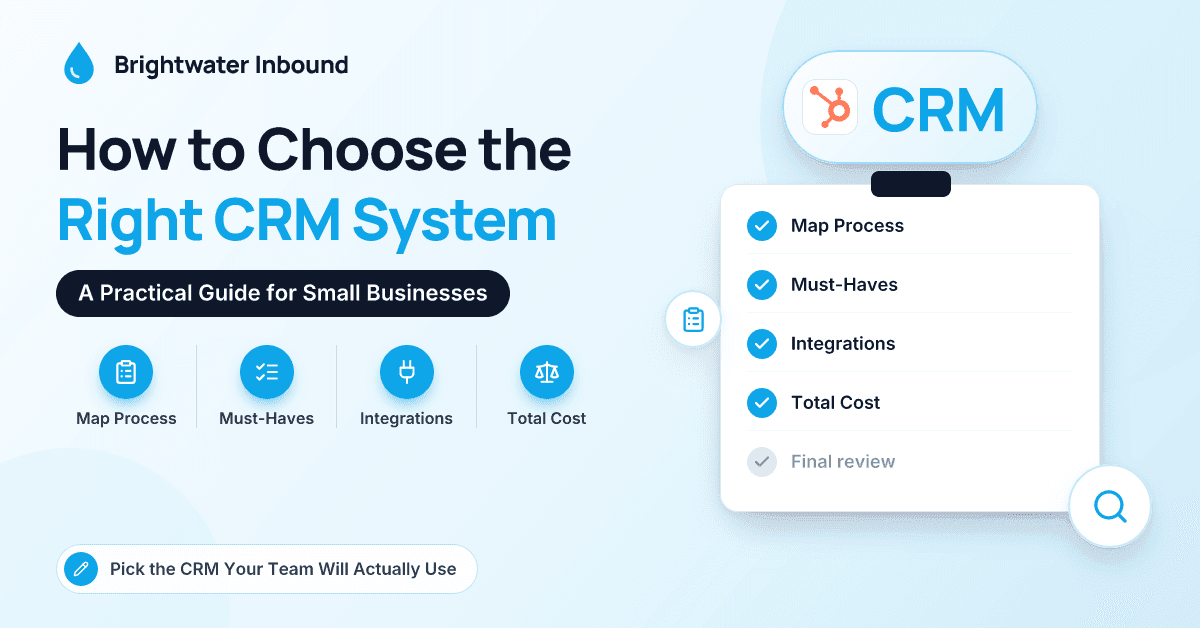
We'll cover mapping your process, the features that matter, ease of use, integrations, scale, total cost and how to run a useful trial. We'll also compare HubSpot, Salesforce, Dynamics 365, Zoho and Pipedrive. We're a HubSpot partner, so we've worked hard to keep that comparison fair.
Why Do So Many CRM Selections Go Wrong?
Three patterns account for most of the failed selections we see.
The first is choosing on the demo. Vendor demos show the platform at its best, with clean sample data and an expert driving. Your team will have neither.
The second is buying for the business you hope to be in five years rather than the one you run now. Enterprise-grade flexibility comes with enterprise-grade setup and administration, and a 15-person firm rarely has anyone to own that.
The third is skipping the process conversation. If your team hasn't agreed on the stages a deal moves through, no CRM will agree on them for you.
How Do You Map Your Sales Process Before Picking a CRM?
Start with a whiteboard, not a vendor website. Write down every stage a prospect moves through from first contact to paying client, and what has to be true for them to move on.
For a professional services firm, that might be: inquiry, discovery call booked, needs assessed, proposal sent, verbal yes, engagement letter signed, onboarding. For a hotel or venue events team: inquiry, availability confirmed, site visit, proposal, contract signed, deposit received, event delivered, rebooking conversation.
For each stage, note three things:
- Who owns it: a partner, a coordinator, the sales manager.
- What information you need before moving on: budget, event date, headcount, decision-maker.
- What usually goes wrong: proposals that sit unanswered, deposits chased by hand, site visits never followed up.
That single page becomes your requirements list. A CRM that makes your stages, owners and failure points easy to manage is a strong candidate. One whose headline features touch none of them is a distraction.
What Features Does a Small Business CRM Actually Need?
Almost every CRM covers the basics. The question is how well, and how easily. We sort features into three buckets with clients.
Must-haves
- Contact and company records with a full activity timeline
- Email and calendar integration with Gmail or Outlook, including email logging and meeting booking
- At least one customizable deal pipeline, with required fields at key stages
- Tasks and reminders tied to records
- Basic reporting: pipeline by stage, win rate, leads by source
- A usable mobile app
- Role-based permissions, so not everyone can export your entire client list
Nice-to-haves
- Workflow automation for lead assignment, follow-ups and onboarding tasks
- Email templates and sequences
- Quotes or proposals generated from deal records
- A help desk or ticketing for client service
- Marketing email and forms on the same platform
Probably not yet
Complex territory management, advanced forecasting models, custom objects for every scenario, and AI agents acting on your behalf before your data is clean. They have their place, but rarely in year one for a small team.
How Important Is Ease of Use?
More important than any single feature. A CRM only works if people put information into it, and they'll only do that if it's faster than the workaround.
During evaluation, test the five actions your team does most: logging a call, creating a deal, moving it to the next stage, finding a client's last email and setting a follow-up task. Time them. Then hand the same tasks to the least technical person on your team, without a walkthrough. If they struggle, so will adoption. And check mobile: an events manager on a site walk-through needs to update a record from a phone in under a minute.
Which CRM Integrations Matter Most?
List every tool that customer data touches today. For most small service businesses, that's email and calendar, accounting software such as QuickBooks or Xero, a phone system, website forms, a scheduling tool, and sometimes a property management, practice management or e-signature system.
For each one, ask the vendor three questions:
- Is there a native integration, and who maintains it?
- Which direction does data flow, and which fields sync?
- What happens when the same record is updated in both systems?
Native integrations are usually easier to live with than third-party connectors, though a connector is fine for low-volume, non-critical syncs. Be wary of any CRM that needs custom development for your most important integration.
Will the CRM Scale With You?
Think two to three years out, not ten. Can you add users, pipelines and teams without changing platforms? Can you create custom objects later for things like projects or events? How do permissions work as you add departments?
Also check what happens when you jump tiers. The features that matter as you grow (advanced automation, custom objects, deeper reporting) usually sit in higher editions, which can mean a tier jump for every user, not just the ones who need the feature.
What Will a CRM Really Cost?
The subscription is only one line. A realistic three-year total cost of ownership includes:
- Licenses, usually per user per month, often with annual commitments
- Tier upgrades as you need automation or reporting
- Contact-based pricing for marketing tools on some platforms
- Onboarding or implementation, from the vendor or a partner
- Integrations and add-ons, including paid connectors and AI usage
- Admin time, internal or outsourced, to keep the system tidy
For a small business, outside help commonly ranges from a few thousand dollars for guided onboarding to tens of thousands for a multi-team rollout with integrations. Treat those as rough orders of magnitude and check current vendor and partner pricing. If you plan to use a partner, the partner directory lets you compare firms by platform and industry.
How Do HubSpot, Salesforce, Dynamics 365, Zoho and Pipedrive Compare?
A quick disclosure: we implement HubSpot, so we know it best. We've also worked alongside teams on every platform below and tried to describe each one the way we'd describe it to a friend.
| Platform | Typically best for | Strengths | Watch-outs | Pricing model |
|---|---|---|---|---|
| HubSpot | SMBs wanting marketing, sales and service on one easy platform | Ease of use, one Smart CRM across hubs, fast onboarding, Breeze AI built in | Costs rise noticeably at Professional tiers; less deep customization than Salesforce | Free tools plus Starter, Professional and Enterprise tiers; per seat, with marketing partly priced by contacts |
| Salesforce | Growing or complex sales teams that need heavy customization | Very flexible platform, large AppExchange ecosystem, Agentforce AI | Needs a skilled admin or partner; add-ons and implementation raise total cost | Per user per month by edition, usually on annual contracts |
| Dynamics 365 Sales | Microsoft 365 organizations, especially those on Business Central | Deep Outlook and Teams integration, Power Platform, Copilot | Licensing can be confusing; usually partner-led; can feel heavy for very small teams | Per user per month by tier, under Microsoft licensing rules |
| Zoho CRM | Budget-conscious SMBs and teams already using Zoho apps | Strong value, broad Zoho suite and Zoho One bundle, Zia AI | Setup can get complex; integrations outside Zoho may need more work | Per user by edition, with bundle options |
| Pipedrive | Small, sales-led teams that want a simple visual pipeline | Very quick to adopt, clear pipeline view, sales-focused automation | Lighter on marketing and service; some features are paid add-ons | Per seat by plan tier, plus optional add-ons |
The notes behind the table
HubSpot is where many of our first-time CRM clients land, because marketing, sales and service teams can share one record without stitching tools together. The Smart CRM sits underneath Marketing Hub, Sales Hub, Service Hub, Content Hub, Commerce Hub and Data Hub (formerly Operations Hub), and you can start with one hub and add others later. The honest trade-off is that price steps between tiers are significant, so decide early which tier you'll really need.
Salesforce is the most customizable option here and a common choice for larger sales organizations. If you have unusual processes, complex territories or plans to build custom apps, it's hard to beat. Budget for an admin, in-house or outsourced, from day one.
Dynamics 365 Sales makes the most sense when your company already runs on Microsoft 365, Teams and possibly Business Central. The fit with Outlook and the Power Platform is a genuine advantage. For a deeper look at those two enterprise-leaning platforms, see this comparison of Dynamics 365 vs Salesforce.
Zoho CRM offers a lot of functionality for the money, particularly if you'll use other Zoho apps. Plan time for configuration, because its flexibility can turn into complexity.
Pipedrive is built around the pipeline and is often the quickest for a small sales team to adopt. If you also need marketing automation or a help desk, check whether add-ons or separate tools will close the gap.
How Should You Run a CRM Trial or Pilot?
Most vendors offer a free trial or free tools. Use that time deliberately rather than clicking around.
- Narrow to two platforms. Comparing five in a trial is exhausting and usually ends with whichever you tried last.
- Load real data. Import 50 to 100 active contacts and a handful of open deals.
- Build your actual pipeline, with your stages and required fields.
- Pick two or three pilot users, including one skeptic, and have them run their real week in the CRM for at least two weeks.
- Test your most important integration, usually email and calendar first.
- Score each platform on one sheet: speed of the five core actions, fit with your stages, integration quality, reports you can build without help and three-year cost.
- Ask for references from businesses your size, and ask what they wish they'd known.
Pro tip: At the end of the pilot, ask each user one question: "Would you rather keep using this or go back to how we did it before?" If the answer is "go back", no feature list will save the rollout.
Once you've chosen, these CRM implementation best practices cover phased rollout, data migration and adoption.
Conclusion
The right CRM fits your sales process, gets used by your team and can grow with you at a cost you can live with. Map your stages first, sort features into must-haves and nice-to-haves, test ease of use with real people and real data, check the integrations that matter and model cost over three years rather than the first month. HubSpot, Salesforce, Dynamics 365, Zoho and Pipedrive are all credible choices for the right business; the work is in matching one to yours. If you'd like an experienced set of eyes on your shortlist, the team at Brightwater Inbound would be glad to help.
Frequently Asked Questions
What is the most important factor when choosing a CRM?
Fit with your sales process and ease of use for your team matter more than any single feature. A CRM that mirrors how you already sell, and that people find faster than their old workaround, will get used. Everything else, including reporting and AI, depends on that adoption.
Which CRM is best for a small service business?
It depends on your team and existing tools. HubSpot and Pipedrive are popular for ease of use, Zoho for value, Dynamics 365 for Microsoft-centric companies and Salesforce for complex or fast-scaling sales teams. Shortlist two that fit your process and test them with real data before deciding.
Should we hire a partner to implement our CRM?
For a single team with a simple process, many small businesses set up a CRM themselves with vendor onboarding help. A partner earns their fee when you have multiple teams, integrations, data migration from an old system or limited internal time. Ask any partner for references from companies your size and in your industry.
How do we move from spreadsheets to a CRM?
Clean the data first: remove duplicates, archive contacts you haven't spoken to in years and standardize fields like company names and phone numbers. Map each spreadsheet column to a CRM field, import active records first and test with a small batch before the full import. Then retire the spreadsheet so there's only one place to look.