How to Choose the Right Dynamics 365 Partner for Your Business (Checklist)

Three Dynamics 365 proposals land on your desk. One opens with a page of Microsoft badges. One has a fixed price that looks too good to be true. One has a slide full of logos from your industry. All three say they "do Dynamics," and on paper they look equally qualified. That's exactly the problem.
Dynamics 365 isn't one product, and Microsoft partners aren't interchangeable. A firm that runs excellent Business Central projects for 50-person distributors may have no real bench in Finance and Supply Chain Management, and the reverse happens too. Licensing usually flows through the partner as well, so the firm you pick shapes your subscription terms and your support line for years.
This checklist is for owners, finance leaders and IT managers evaluating Dynamics 365 implementation partners for Business Central or Finance and Operations apps. It covers the eight checks that are specific to the Microsoft world. For a vendor-neutral scorecard, see our ERP partner checklist for decision makers; for interview scripts, see our questions to ask before hiring a Dynamics 365 partner.
Why Does a Dynamics 365 Partner Need Its Own Checklist?
Three things make Dynamics partner selection different from choosing a partner for most other ERPs.
The product split. Business Central and the Finance and Operations apps (Dynamics 365 Finance, Supply Chain Management and related apps) are separate products with different code bases, development languages, tools and typical project sizes. Skill in one doesn't automatically transfer to the other.
Licensing through the partner. Most customers buy Dynamics 365 subscriptions through a Cloud Solution Provider (CSP) partner, often the same firm that implements. That partner influences your license mix, your contract terms and who you call when something breaks. Our explainer on ERP partners versus vendors shows how licenses flow.
Continuous updates. Business Central online receives two major release waves a year plus monthly updates, and Finance and Operations apps receive regular service updates. Your partner has to manage that rhythm long after go-live.
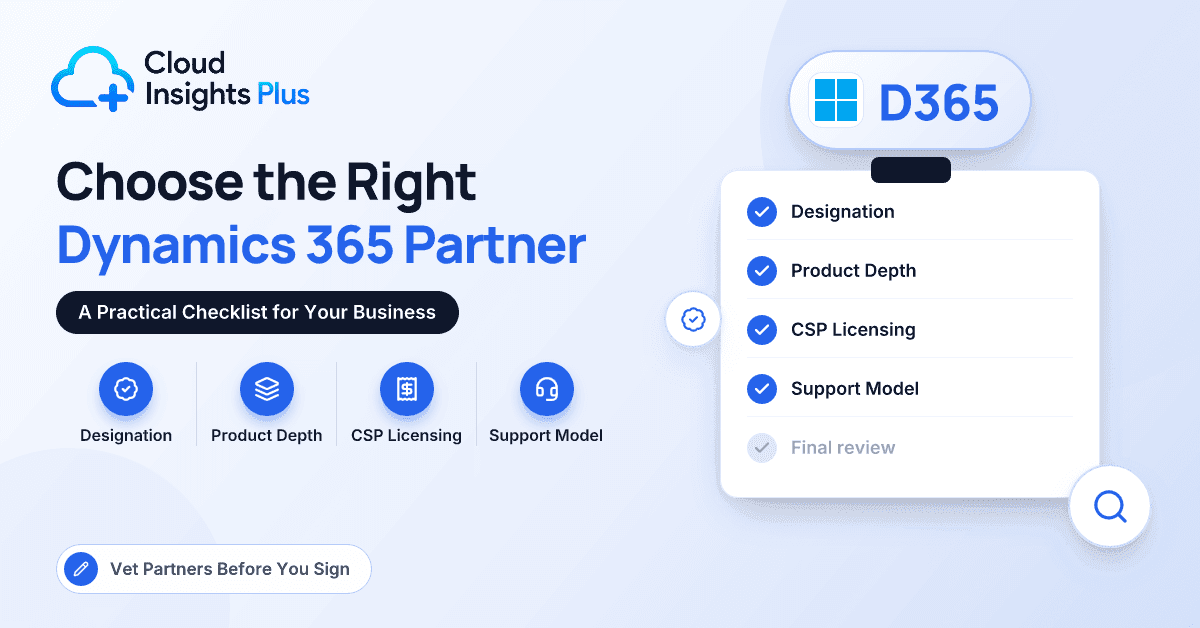
The Dynamics 365 Partner Checklist
1. Microsoft Solutions Partner designation, read correctly
Within the Microsoft AI Cloud Partner Program, the designation that matters here is Solutions Partner for Business Applications. Microsoft awards it based on a partner capability score that combines performance (customer growth), skilling (certified staff) and customer success (deployments and usage). Some partners also hold specializations, which require further evidence of skills and customer results. Microsoft retired its old Gold and Silver competencies when it introduced Solutions Partner designations, so a proposal that still leads with "Gold Partner" is working from out-of-date credentials.
The designation proves a baseline of certified people and customer activity. It doesn't prove that the consultants on your project hold those certifications, or that the firm has delivered your kind of project.
- Ask for: the designation and any specializations, plus the names and role-based certifications of your proposed consultants.
- Red flag: credentials quoted only at company level, with no named people.
2. Proven depth in Business Central or Finance and Operations
Business Central typically serves small and mid-size companies. Projects often run a few months, and customizations are AL extensions built in Visual Studio Code. Finance and Operations apps serve larger, more complex organizations; customizations use X++ with a different lifecycle toolset, and programs commonly run much longer. Many partners are strong in one and thin in the other.
If you sit near the boundary, with multiple entities, currencies or complex consolidation, a good partner explains the trade-offs openly. Our comparison of Dynamics 365 Finance vs Business Central sets out the signals.
- Ask for: go-lives on your specific product in recent years, and the size of the dedicated practice.
- Red flag: a product recommendation with no rationale beyond what the partner sells most.
3. Industry IP you can depend on
Many partners bring intellectual property: their own AppSource apps, industry templates, preconfigured processes or close relationships with independent software vendors for EDI, warehousing, project accounting or compliance. Good IP shortens projects and reduces custom code. It also creates dependency, so understand how it's licensed, who supports it, how quickly it's updated for each release and what happens if you later change partners.
- Ask for: a demo of the industry solution running your scenario, plus its license and support terms.
- Red flag: "industry experience" that amounts to logos, with no consultants who worked on those projects.
4. A methodology built for Dynamics
Look for a clear sequence: discovery and fit-gap, design, configuration and extension build, data migration with trial loads, testing (unit, integration and user acceptance), training, cutover and hypercare. For Finance and Operations and larger projects, ask how the partner works with Microsoft's Success by Design framework and whether your project qualifies for FastTrack involvement. For Business Central, ask how they keep all customization inside extensions and how they test before each release wave.
Agile and phased approaches both work. What matters is clarity about your responsibilities: data cleansing, process owners' time and user acceptance testing.
- Ask for: a sample project plan, a RACI chart, a test plan and the data migration approach.
- Red flag: methodology slides that never mention what your team must do.
5. Transparent CSP licensing
Under Microsoft's New Commerce Experience, subscriptions come with monthly or annual terms, and longer terms for some products. Annual terms usually cost less per month, but seat counts generally can only be reduced at renewal, outside a short cancellation window after purchase. License mix matters too: full licenses for daily users, Team Members for light users, and attach licenses where someone needs a second Dynamics 365 app.
A good partner right-sizes licenses, quotes them separately from services and explains how you could move your subscriptions to another CSP partner later.
- Ask for: an itemized license quote showing term lengths, and who handles billing questions.
- Red flag: licenses bundled into services so you can't see what you're paying, or full licenses pushed for occasional users.
6. A support model you can actually use
After hypercare, you need defined support: help-desk hours and time zones, severity-based response targets, channels, escalation to Microsoft when the issue lies in the product, and a plan for release waves or service updates. Pricing models range from prepaid blocks of hours to fixed monthly retainers, and either can work if the scope is clear.
- Ask for: a draft support agreement, an SLA table and an example monthly support report.
- Red flag: "We'll sort out support after go-live."
7. Team continuity
The people you meet in the sales process should be the people who deliver. Ask for a named project manager, solution architect and lead functional consultant, with their allocation to your project, and whether any work is subcontracted or delivered offshore. Your contract should require notice and a handover at the partner's cost if a key person leaves, and ideally some of the delivery team should carry over into support.
- Ask for: named roles, allocation percentages and a key-person clause.
- Red flag: an "A-team" in the pitch and "to be confirmed" in the statement of work.
8. References that match your project
Ask for three references on the same product, at a similar size and ideally in your industry, live for at least a year. Include one project that hit problems; how a partner recovered tells you more than a flawless story. Speak to references without the partner on the call, and ask about budget variance, change orders, team turnover and support quality today.
- Ask for: a list of references to choose from, not a single hand-picked advocate.
- Red flag: references that are all still in hypercare or on a different product.
Dynamics 365 Partner Checklist at a Glance
| Checklist item | What to ask for | Red flag |
|---|---|---|
| Solutions Partner designation | Designation, specializations and named certified consultants | Company-level credentials only; "Gold Partner" claims |
| Business Central vs F&O depth | Recent go-lives and practice size for your product | Recommendation without a documented rationale |
| Industry IP | Demo on your scenario; license and support terms | Logos without experienced consultants |
| Methodology | Project plan, RACI, test plan, data migration approach | No customer responsibilities defined |
| CSP licensing | Itemized quote with terms; transfer options | Licenses hidden inside services |
| Support model | Draft agreement, SLAs, sample report | Support "to be agreed later" |
| Team continuity | Named roles, allocation, key-person clause | Delivery team "to be confirmed" |
| References | Three matching references, one with problems | Only hypercare or other-product references |
How Should You Use This Checklist?
Score each shortlisted partner from 1 to 5 on every item, then weight the items for your project. A 40-person distributor moving to Business Central might weight industry IP, support and references most heavily. A multi-entity Finance and Operations program should weight product depth, methodology and team continuity.
Run the checklist twice: once on written responses, and again after scripted workshops with the proposed delivery team in the room. Scores that drop between rounds deserve a hard conversation before you sign anything.
Key takeaway: The right Dynamics 365 partner proves depth in your specific product, names the people who'll do the work, shows exactly what you're paying for in licenses and support, and offers references that look like your project.
Conclusion
Choosing a Dynamics 365 partner is as consequential as choosing the product, because the partner shapes your design, your licensing and your support for years. Read Microsoft designations for what they are, insist on real depth in Business Central or Finance and Operations, test industry IP and methodology on your own scenarios, and get licensing, support and team commitments in writing. References that match your size, product and industry are the final check. To start building a shortlist, browse and compare firms in our Dynamics 365 partner directory, filtering by product, industry and region, then run each candidate through this checklist.
Frequently Asked Questions
What is a Microsoft Solutions Partner for Business Applications?
It's a designation in the Microsoft AI Cloud Partner Program for partners that meet a minimum capability score across performance, skilling and customer success in Dynamics 365 and related business applications. It shows a baseline of certified staff and customer activity. It doesn't guarantee experience with your product, size or industry, so verify those separately.
Should we buy Dynamics 365 licenses from our implementation partner?
It's often convenient, because one firm then owns licensing, billing questions and first-line support. It isn't mandatory, and you can usually move subscriptions to another CSP partner later. Whoever you choose, ask for an itemized quote and make sure term lengths and seat-reduction rules are clear.
Can we switch Dynamics 365 partners after go-live?
Yes. Companies change partners over support quality, cost or growing complexity. Make a future switch easier by keeping documentation, extension source code and environment access in your own name, and by checking whether any partner-owned IP needs separate licensing if you leave.
How many Dynamics 365 partners should we evaluate?
Three is a practical shortlist for scripted workshops, drawn from a longlist of five to eight. Fewer limits your comparison, while more makes it hard to give each partner a fair, in-depth evaluation.