What Is Business Process Automation? A Beginner-Friendly Guide

Every Monday morning, the operations coordinator at a 60-person distributor exports last week's web orders to a spreadsheet, re-keys them into the accounting system, emails the warehouse a pick list and then chases two managers for credit approvals sitting in their inboxes. None of it is difficult. All of it is slow, and every manual step is a chance for a typo to become a wrong shipment.
That is the problem business process automation solves. This guide is for business owners, operations managers and finance leads who are new to the topic and want a clear, practical starting point. We explain what BPA is and how it works, the four main types, which processes to automate first, the benefits you can realistically expect, a five-step plan to get started and the pitfalls that trip up first projects. No coding background required.
What Is Business Process Automation?
Business process automation (BPA) is the use of software to carry out the repeatable, rule-based steps of a business process with little or no manual effort. It moves data between systems, routes work to the right person, applies business rules and triggers the next step, so people only handle the parts that need judgment.
Two distinctions help. BPA is broader than task automation, which handles a single step such as an email template; BPA automates the flow from start to finish. And it is narrower than digital transformation, which may change the business model itself. BPA improves how existing work gets done.
How Does Business Process Automation Work?
Almost every automated process shares the same anatomy:
- Trigger: an event starts the process, such as a form submission, a new record, an incoming email or a scheduled time.
- Conditions: rules decide which path to take (if a purchase request is over $5,000, route it to the CFO).
- Actions: the system creates or updates records, sends notifications, generates documents or calls another system.
- Exceptions: cases the rules can't handle go to a person, with context attached.
- Log: every step is recorded, giving you an audit trail.
Take that purchase request. An employee fills in a form. The automation checks the budget code, routes the request to the right approver based on amount, sends a reminder after 24 hours, creates the purchase order in the ERP once approved and notifies the requester. The approver still decides. Everything around that decision runs on its own.
What Are the Main Types of Business Process Automation?
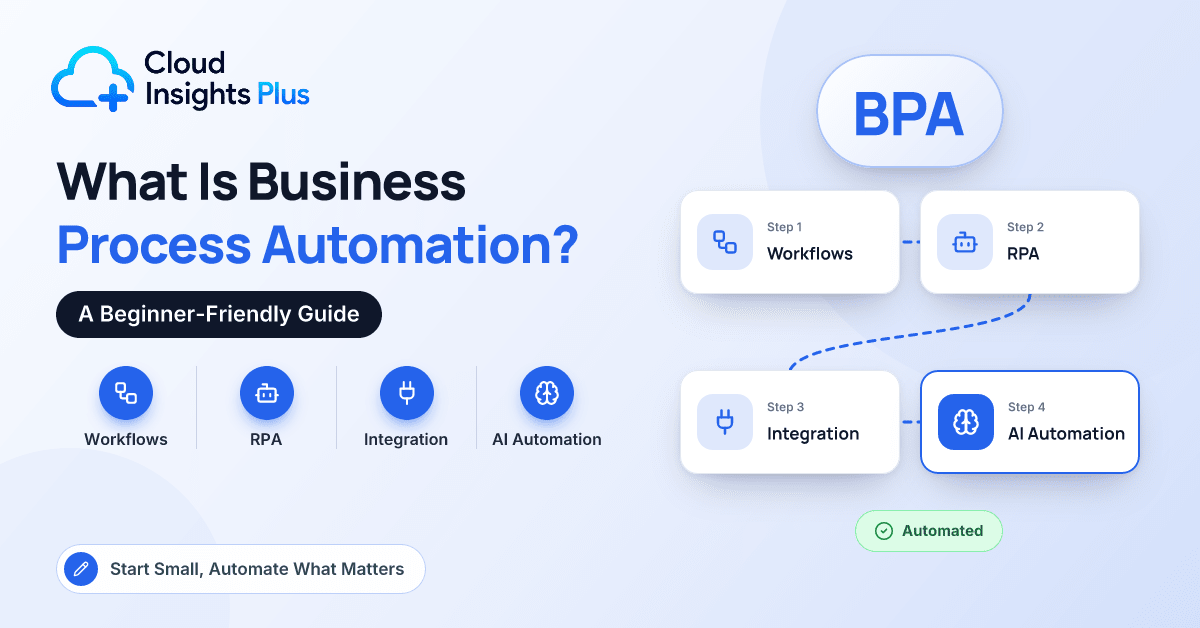
Workflow automation
Workflow automation routes tasks, approvals and notifications based on rules. It is the most common type, and most ERP and CRM systems include it natively, alongside tools such as Microsoft Power Automate. It suits approvals, onboarding checklists and handoffs between teams.
Robotic process automation (RPA)
Software "bots" mimic what a person does on screen: clicking, copying, pasting and logging in. RPA is useful when a system has no API, such as an old desktop application or a government portal. It can be fragile, because a changed screen layout can break a bot.
Integration automation
Integration connects systems directly through APIs or prebuilt connectors so data flows without re-keying, for example syncing e-commerce orders into the ERP or new CRM customers into accounting. Integration platforms and no-code tools such as Zapier and Make sit here.
Intelligent automation
Intelligent automation adds AI to handle unstructured inputs and simple judgment: extracting data from invoices, classifying support emails, summarizing documents and, increasingly, AI agents that complete multi-step tasks under supervision. Our explainer on RPA vs AI shows where the line falls.
| Type | What it does | Best for | Example |
|---|---|---|---|
| Workflow automation | Routes tasks and approvals by rules | Approvals, handoffs, checklists | Purchase requests routed by amount |
| RPA | Mimics clicks and keystrokes on screens | Legacy systems without APIs | Downloading statements from a bank portal |
| Integration automation | Moves data between systems via APIs | Eliminating re-keying | Web orders flowing into the ERP |
| Intelligent automation | Applies AI to unstructured inputs | Documents, emails, triage | Extracting invoice data for AP |
Which Processes Should You Automate First?
Good first candidates share a profile:
- High volume: the process runs daily or weekly, not twice a year.
- Rule-based: you can write the decision logic down.
- Error-prone: re-keying or copy-and-paste creates mistakes that cost money or customers.
- Stable: nobody plans to redesign it next quarter.
- Digital inputs: data already arrives in a system, a form or a structured email.
Leave rare, judgment-heavy or politically contested work for later, along with anything you intend to redesign.
Common starting points include invoice approval routing and expense report checks in finance, lead assignment and quote approvals in sales, order sync and low-stock alerts in operations, onboarding checklists in HR and ticket routing in customer service. Our catalog of workflow automation examples has many more.
A quick way to rank candidates: multiply monthly volume by minutes per item, then factor in the cost of errors. The process with the highest result and the cleanest rules usually wins.
What Are the Benefits of Business Process Automation?
The benefits are concrete when you measure them:
- Time back for work that genuinely needs people.
- Fewer errors, because data is entered once and validated.
- Faster cycle times, since approvals stop waiting in inboxes.
- Better compliance, with consistent rules and an automatic audit trail.
- Scalability, handling more volume without adding headcount at the same rate.
- A better employee experience, because few people enjoy copy-and-paste.
A hypothetical example makes this tangible. Suppose a 40-person distributor receives 300 web orders a week, and someone spends about two minutes re-keying each into the ERP. That is ten hours a week, or roughly 520 hours a year, before counting the cost of the occasional wrong quantity or address. An integration that syncs orders automatically returns most of that time and removes a whole category of errors.
How Do You Get Started? A 5-Step Plan
- Pick one process and map it as it really works. Sit with the people who do it. Write down every step, system, handoff and exception, including the workarounds nobody mentions in meetings. Record current volumes and times as your baseline.
- Simplify before you automate. Remove steps that add no value, standardize inputs and agree on the rules. Automating a messy process just produces mess faster.
- Choose the simplest tool that fits. Check what your ERP or CRM already does natively, then consider low-code tools, and use RPA only where no API exists. Our roundup of no-code business automation tools compares the main options.
- Build small and test with real cases. Include the awkward ones: missing fields, duplicate records, an approver on vacation. Decide what happens when the automation fails and who gets told.
- Measure, document and assign an owner. Compare results with your baseline, document how the automation works and name someone responsible for maintaining it. Then pick the next process.
What Are the Most Common BPA Pitfalls?
- Automating a broken process instead of fixing it first.
- Ignoring exceptions. The happy path is easy; the odd cases are where projects stall.
- Orphaned automations built by someone who has since left, with no documentation.
- Tool sprawl, where every team picks its own platform and nobody can see what runs where.
- Weak security, such as automations running under a personal account with broad permissions.
- Brittle bots that break when a screen changes.
- No baseline, which makes it impossible to prove value later.
Pro tip: Before building anything, write the process rules on a single page. If your team can't agree on that page, you aren't ready to automate it.
Conclusion
Business process automation is not about replacing people with robots. It is about taking the repetitive, rule-based steps out of everyday work so your team can spend its time on judgment, customers and growth. Start with one high-volume, rule-based process, map and simplify it, choose the simplest tool that fits and measure the result against a baseline. Each success makes the next one easier to justify and faster to deliver. If your plans involve your ERP or CRM, you can find implementation partners with automation experience in our partner directory.
Frequently Asked Questions
What is an example of business process automation?
Purchase approval is a classic example: an employee submits a request, the system routes it to the right approver based on amount, sends reminders and creates the purchase order once approved. Syncing web orders into an ERP and routing support tickets by topic are other common examples.
Is business process automation the same as RPA?
No. RPA is one type of BPA that mimics human clicks and keystrokes on screens. BPA also includes workflow automation, API-based integration and AI-driven automation, which are usually more durable than RPA when an API is available.
How much does business process automation cost?
Costs vary widely. Many ERP and CRM platforms include workflow features in existing subscriptions, low-code tools are typically priced per user or by the volume of automated runs, and larger RPA or integration projects add licensing plus implementation fees. Check current vendor pricing and start with a small, measurable project.
Will automation replace jobs?
In most small and mid-size companies, automation removes tasks rather than roles. It frees people from re-keying and chasing approvals so they can focus on customers, analysis and exceptions. How that freed capacity is used is a management decision.
Do I need developers to automate business processes?
Not for many common processes. Native ERP and CRM workflows and low-code tools let business users build simple automations themselves. Complex integrations, high-volume processes and anything touching sensitive data benefit from IT involvement or an experienced partner.