Top Business Automation Tools for 2026 (No Coding Required)

Earlier this year we audited the automation setup at a 40-person B2B software company. They had roughly sixty active Zaps, a dozen HubSpot workflows, two Make scenarios built by a contractor who had since left, and a Power Automate flow someone in finance had built to file invoice PDFs in SharePoint. Several did the same job. Two of them fought each other, overwriting a contact's lifecycle stage every time the record changed. Nobody had a list.
None of those tools was the problem. Each was a reasonable choice on the day someone picked it. The problem was choosing tools one fire at a time.
This roundup is for operations leads, RevOps people and founders who want to automate work without writing code, and without ending up in that situation. We cover Zapier, Make, Power Automate, HubSpot workflows, Airtable automations and n8n, plus the automation already built into your CRM or ERP. For each: what it's best for, where it's strong, where it runs out of road and how it's priced. Then we share how we choose between them and keep things tidy.
What Counts as a No-Code Automation Tool?
A no-code automation tool connects a trigger (a form is submitted, a deal changes stage, a file lands in a folder) to one or more actions (create a record, send a message, update a field) through a visual builder. Most add logic on top: filters, branches, delays, loops and data formatting. If you're new to the idea, this beginner's guide to business process automation covers the fundamentals.
The tools fall into three rough families:
- Integration platforms (Zapier, Make, n8n, Power Automate cloud flows) that sit between apps and move data across them.
- Native automation inside an app you already use (HubSpot workflows, Salesforce Flow, Airtable automations) that acts on that app's own data.
- Desktop automation (RPA) that clicks through screens when there's no API. Power Automate's desktop flows are the most accessible example.
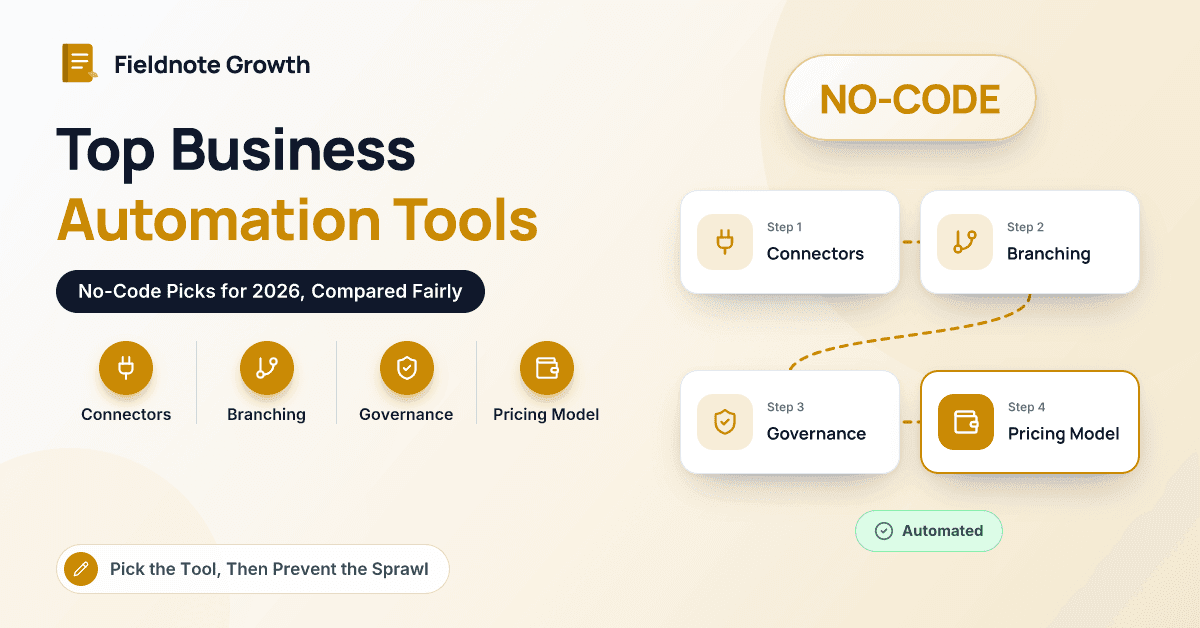
"No code" is a spectrum. Every tool here handles common jobs without code, and every one gets more technical as your workflows get more ambitious. We judged each on connectors, logic, who can maintain it, governance (ownership, run logs, failure alerts) and how its pricing scales with volume.
No-Code Automation Tools at a Glance
| Tool | Best for | Key strength | Main limit | Pricing model |
|---|---|---|---|---|
| Zapier | Connecting many SaaS apps quickly | Very large app directory, gentlest learning curve | Cost scales with task volume; complex branching gets hard to read | Free plan plus paid tiers, priced mainly by monthly tasks |
| Make | Multi-step flows with heavy data shaping | Visual canvas, routers and iterators, detailed run history | Steeper learning curve; scenarios need documenting | Free plan plus tiers based on monthly usage |
| Power Automate | Microsoft 365 and Dynamics organizations | Native to Outlook, Teams, SharePoint and Dataverse; desktop RPA | Premium connectors and unattended RPA need extra licenses | Some use rights with Microsoft 365; premium per-user and per-process licenses |
| HubSpot workflows | CRM-centric automation for HubSpot users | Acts directly on contacts, deals, tickets and custom objects | Limited to HubSpot data; full workflows need higher tiers | Included in Professional and Enterprise editions |
| Airtable automations | Teams running operations in Airtable | Simple trigger-and-action builder on your own tables | Weak outside Airtable; run limits by plan | Free plan plus per-seat tiers with run allowances |
| n8n | Technical ops teams wanting control or self-hosting | Self-hostable, flexible, strong AI and HTTP building blocks | Needs more technical comfort; self-hosting means you own uptime | Free self-hosted community edition; paid cloud and enterprise plans |
| Native ERP/CRM automation | Steps that start and end in one system | No extra tool; respects the system's permissions and audit trail | Weak across systems; skills are platform-specific | Usually included in your existing license tier |
Pricing changes often in this category, so check current vendor pricing before you commit.
Which No-Code Tools Are Worth a Look in 2026?
Zapier
Best for: connecting a long tail of SaaS apps quickly, with builders who aren't technical.
Zapier is the default for a reason. Its app directory is one of the largest available, the builder reads like a sentence ("when this happens, do that"), and Paths, Filters, Formatter and built-in Tables cover most small-team needs. It has also added AI steps and agent-style features that work across connected apps.
Where it runs out of road: Zapier bills mainly by tasks (roughly, each action that runs), so a high-volume Zap syncing every contact update can get expensive. Heavily branched logic becomes hard to read and debug.
Our tip: name every Zap starting with the system it writes to, such as "HubSpot ← Typeform: demo request". Your next audit will take an afternoon instead of a week.
Make
Best for: multi-step automations with real data manipulation, built by someone who enjoys a visual puzzle.
Make lays out each scenario as a canvas of connected modules, with routers for branching, iterators and aggregators for handling lists, and a run history that shows exactly what data passed through each step. For jobs like "take every line item on this order, look up each SKU and build a summary", it's often cleaner than Zapier.
Where it runs out of road: the learning curve is real, and complex scenarios are easy to build and hard for the next person to understand. Document them as you go. Pricing is usage-based, so model your expected monthly volume.
Microsoft Power Automate
Best for: organizations that live in Microsoft 365, Dynamics 365 or Business Central.
If your files are in SharePoint, your approvals happen in Teams and your business data sits in Dataverse, Power Automate is the natural choice. Cloud flows handle API-based automation, desktop flows add RPA for legacy apps without APIs, and Copilot can draft a flow from a plain-language description. Admins get environments and data loss prevention (DLP) policies, which matter as more people start building.
Where it runs out of road: licensing. Standard connectors come with many Microsoft 365 plans, but premium connectors (including many non-Microsoft apps) and unattended RPA need additional licenses. For a detailed head-to-head, see Power Automate vs Zapier.
HubSpot workflows
Best for: automation that lives on CRM records, such as lead routing, lifecycle stages and deal or ticket processes.
This is where we spend most of our working days, so weigh our enthusiasm accordingly. HubSpot workflows act directly on contacts, companies, deals, tickets and custom objects, with if/then branches, delays, owner rotation, internal notifications, webhooks and data formatting. Because they run inside the Smart CRM, every change is visible in the record's history. Data Hub (formerly Operations Hub) extends this with data sync, data quality tools and custom code actions for teams that want them.
Where it runs out of road: workflows act on HubSpot data, so anything that starts and ends in other systems needs an integration platform alongside. The full workflow tool sits in Professional and Enterprise editions; check what your plan includes.
Airtable automations
Best for: teams whose operations already run in Airtable bases, such as content calendars, partner trackers or lightweight inventory.
Airtable's automations are a simple trigger-and-action builder on top of your own tables: when a record is created or matches a condition, send an email, post to Slack, update a record or create one in another app. For a team already using Airtable as its working database, this removes a whole class of manual updates.
Where it runs out of road: it works best when Airtable is the system of record. Monthly automation runs are capped by plan, and the "run a script" action means JavaScript, which is no longer no-code.
n8n
Best for: technically comfortable ops teams that want flexibility, data control or self-hosting.
n8n is a node-based workflow tool you can use in its cloud or run on your own infrastructure. It's popular with teams that have data-residency concerns or high volumes, and it has strong building blocks for AI workflows (model calls, agents, memory) and for calling any HTTP API.
Where it runs out of road: "no code required" holds for simple flows, but you'll soon be writing expressions and reading JSON. Self-hosting means you own updates, backups, uptime and security. It's distributed under a source-available "fair-code" license, so read the terms if you plan to embed it in a product.
Native automation in your CRM or ERP
Best for: process steps that start and end in one system of record.
Before adding anything above, check what your core platforms already do. Salesforce Flow, Dynamics 365 business process flows, Business Central approval workflows, NetSuite SuiteFlow, Zoho CRM workflow rules and Pipedrive automations all handle routing, approvals, field updates and notifications without another subscription. They respect the platform's security model and audit trail, which matters for finance and compliance steps.
Where it runs out of road: they're weak across systems, and the skills don't transfer between platforms.
How Do You Choose the Right Automation Tool?
We ask four questions, in this order.
- Where does the data live? If the trigger and the outcome are in the same system, use that system's native automation. A deal-stage change that creates onboarding tasks belongs in HubSpot workflows or Salesforce Flow, not in a Zap.
- Which ecosystem are you in? Microsoft-heavy organizations get the most from Power Automate. SaaS-first teams with a long tail of apps usually start with Zapier.
- How complex is the logic? Linear handoffs suit Zapier. Lots of looping, list handling and data transformation suit Make or n8n.
- Who maintains it in a year? Pick the tool your future maintainer can read, not the one your most technical teammate enjoys.
Here's how that plays out for a common request: every new demo request should be enriched, routed to the right rep, turned into a deal and announced in Slack.
Demo form submitted (HubSpot)
  → HubSpot workflow: enrich + check fit
  → rotate owner by segment → create deal → task due in 1 hour
  → Slack alert via native integration
That's almost entirely a HubSpot job. An integration platform earns its place only if a later step needs an app HubSpot can't reach. For more patterns like this, we've collected workflow automation examples by department.
How Do You Avoid Automation Tool Sprawl?
Sprawl isn't really about the number of tools. It's about automations nobody owns. These habits keep things manageable:
- One primary integration platform. Native automation in each system, plus one cross-app tool. Exceptions need a written reason.
- An automation register. A simple table listing every flow, its trigger, what it writes to, its owner and its purpose. Review it quarterly.
- Service accounts, not personal logins. Flows built on an employee's credentials break the day that person leaves.
- Naming conventions that show system, direction and purpose.
- Failure alerts sent to a shared channel, not one person's inbox.
- One writer per critical field. Lifecycle stage, owner and revenue fields should each have a single automation allowed to change them. That rule alone would have fixed the conflict in our opening story.
Key takeaway: Choose by where the data lives and who will maintain the flow, not by feature lists. Native automation first, one integration platform second, and a register of every flow so nothing runs without an owner.
Conclusion
Every tool in this roundup is good at something. Zapier connects a long tail of apps fastest, Make and n8n handle complex logic, Power Automate is the obvious pick for Microsoft organizations, Airtable automations suit teams that run on Airtable, and HubSpot workflows and other native tools are the right home for anything that lives on a CRM or ERP record. The hard part is restraint: choosing deliberately, giving every flow an owner and resisting a new tool for every new problem. If you'd like a second opinion on your automation stack, the Fieldnote Growth team is always up for a whiteboard session.
Frequently Asked Questions
What is the easiest no-code automation tool for beginners?
Zapier is usually the gentlest starting point, because its builder reads like plain language and it connects to most popular SaaS apps. If your work already lives in HubSpot or Microsoft 365, though, the native options (HubSpot workflows or Power Automate) may be easier in practice because they're already connected to your data.
Is n8n really a no-code tool?
For simple flows, yes: you can drag nodes onto a canvas and connect them without writing code. More advanced workflows tend to involve expressions, JSON and API concepts, and self-hosting requires real technical ownership. Many teams treat n8n as low-code rather than no-code.
Should I use Zapier or my CRM's built-in workflows?
If the trigger and the result are both inside your CRM, use the built-in workflows; they're easier to audit and don't add another subscription or failure point. Use Zapier or a similar platform when you need to move data between your CRM and apps it doesn't integrate with natively.
How are no-code automation tools priced?
Models vary: Zapier charges mainly by tasks, Make by usage, n8n cloud by workflow executions, Airtable and Power Automate largely per user, and native CRM automation by edition. Volume is usually what drives cost up. Estimate your monthly runs before choosing, and check current vendor pricing.