Top SAP S/4HANA Features Every Business Should Know

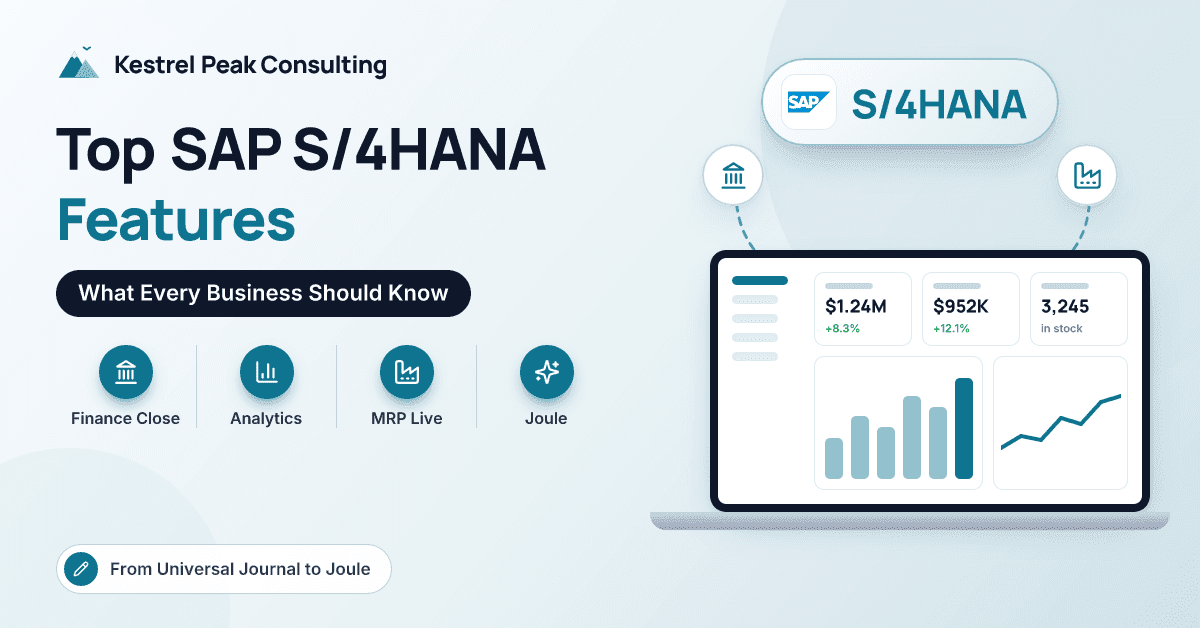
An S/4HANA demo can show a hundred Fiori apps in an afternoon. By the end, most people in the room remember the slickest screen and very little about which capabilities will change how their business runs.
That matters, because the features with the biggest impact are rarely the most photogenic. A single finance table, a faster planning run or a smarter way to confirm delivery dates can do more for a mid-size manufacturer than any dashboard.
At Kestrel Peak Consulting we implement SAP S/4HANA, in private and public cloud editions, for manufacturers and distributors across the Mountain West and Midwest. This article is the feature tour we give clients once the sales cycle is over: eight SAP S/4HANA features, what each one does, and the business impact we actually see. It is written for finance, supply chain and IT leaders evaluating S/4HANA or deciding what to switch on after migrating. If you are still weighing whether to leave ECC at all, start with our comparison of SAP ERP vs SAP S/4HANA.
What Makes S/4HANA Different From Earlier SAP ERP?
S/4HANA runs only on SAP HANA, an in-memory database, and SAP used that foundation to simplify the data model. Most of the features below are consequences of that decision. Reporting on live transactions, planning runs measured in minutes, and consolidation inside the operational system were impractical on older, disk-based designs. Now they are standard.
What Are the Top SAP S/4HANA Features?
1. The Universal Journal and a Faster Finance Close
What it does. General ledger, controlling, asset accounting and material ledger postings land in one line-item table. Every posting carries the G/L account, cost object, profit center, segment and margin analysis attributes together.
Business impact. Most FI-to-CO reconciliation disappears, and controllers can analyze margin by customer, product or region at line-item level, then drill from a P&L line to the source document. Close tasks shrink because there are fewer ledgers to tie out. For groups that want more structure, SAP also offers close-orchestration tooling to schedule and monitor close tasks across entities.
2. Embedded Analytics
What it does. Reports, KPI tiles and analytical apps run on Core Data Services (CDS) views directly over transactional data. Key users can build their own queries with tools such as the Custom Analytical Queries app, and S/4HANA connects to SAP Analytics Cloud for planning and richer dashboards.
Business impact. Open orders by status, inventory by plant and overdue receivables are visible on live data, not last night's extract. On migrations, this is usually where we retire a large backlog of custom ECC reports. You will still want a data platform for cross-system history, but daily operational reporting moves into the system itself.
3. MRP Live and Material Coverage Apps
What it does. MRP Live runs material requirements planning inside the HANA database, which makes it fast enough to run several times a day. Fiori apps such as Monitor Material Coverage and Manage Material Coverage present shortages as a worklist, so planners can reschedule, change orders or contact suppliers from one screen. Predictive MRP and demand-driven replenishment are available for companies ready to go further.
Business impact. Planners work on today's picture and manage by exception. On a recent project for a Midwest manufacturer, moving from an overnight run to several runs a day meant buyers started the morning with a short exception list rather than a long printout. Our article on ERP for manufacturing covers the planning fundamentals underneath.
4. Advanced Available-to-Promise (aATP)
What it does. Advanced ATP extends the classic availability check with product allocation (rationing constrained supply by customer, channel or region), backorder processing (reprioritizing confirmations when supply changes, using rules for which orders win), and alternative-based confirmation (checking other plants or distribution centers automatically).
Business impact. Promise dates become more reliable, and during shortages your most important customers are protected by rule rather than by whoever calls customer service first. Distributors with several warehouses benefit most.
5. SAP Fiori Apps and Role-Based Design
What it does. Fiori replaces transaction codes with role-based apps in a browser launchpad. Apps are organized around jobs (accounts payable clerk, production supervisor, buyer), combine worklists with actions, and work on tablets. Approvals collect in a single inbox.
Business impact. Occasional users, such as approvers and plant supervisors, adopt the system faster and need less training. The benefit depends on role design. Give everyone every app and you have recreated SAP GUI's complexity in a browser.
6. Joule, SAP's AI Copilot
What it does. Joule is SAP's generative AI assistant across its cloud applications, including S/4HANA Cloud. Users can ask questions in natural language, navigate to the right app, get summaries and, in a growing set of scenarios, complete tasks. SAP is also adding AI agents designed to handle multi-step work.
Business impact. Real but early. Today the value is mostly in faster navigation, information retrieval and drafting. Joule is cloud-first, availability depends on your edition, release and SAP Business AI licensing, and its usefulness depends on clean data and well-designed roles. Check the current scope with SAP, and pilot a few defined use cases. For manufacturing-specific AI, see how SAP partners use AI to improve manufacturing efficiency.
7. BTP Extensibility and a Clean Core
What it does. S/4HANA offers three extension layers. Key-user extensibility adds custom fields, logic and forms inside S/4HANA without developers. Developer extensibility uses ABAP Cloud with SAP's released APIs. Side-by-side extensions run on SAP Business Technology Platform (BTP), using SAP Build for apps and process automation and SAP Integration Suite for interfaces.
Business impact. Customizations survive upgrades because they no longer modify SAP's code, which SAP calls keeping a clean core. In our projects, BTP is where we build operator-facing shop-floor apps and connect MES and other plant systems, so the core stays upgradeable.
8. Group Reporting
What it does. SAP S/4HANA Finance for group reporting runs consolidation inside S/4HANA. It reads entity data from the Universal Journal, handles currency translation, matches and reconciles intercompany balances, posts eliminations, and produces consolidated statements. Non-SAP entities can be loaded alongside.
Business impact. Consolidation becomes faster and auditable, without a separate tool or a stack of spreadsheets. It is especially useful for mid-market groups growing through acquisition.
| Feature | What it does | Business impact | Most valuable for |
|---|---|---|---|
| Universal Journal | One line-item table for finance and controlling | Less reconciliation, line-item margin analysis | Finance and controlling teams |
| Embedded analytics | Reporting on live transactional data | Fewer custom reports, faster decisions | Operations and finance managers |
| MRP Live | In-memory planning with coverage worklists | Several runs a day, exception-based planning | Manufacturers with volatile demand |
| Advanced ATP | Allocation, backorder processing, alternative sourcing | Reliable promise dates, protected key accounts | Multi-warehouse distributors |
| Fiori | Role-based apps in a browser launchpad | Faster adoption by occasional users | Approvers, supervisors, clerks |
| Joule | Generative AI assistant across SAP cloud apps | Faster navigation, answers and drafting | Cloud-edition customers piloting AI |
| BTP extensibility | Key-user, on-stack and side-by-side extensions | Upgradeable customizations | Companies with unique processes |
| Group Reporting | Consolidation inside S/4HANA | Faster, auditable group close | Multi-entity and acquisitive groups |
Which Features Depend on Your Edition and Licensing?
Not every feature behaves the same everywhere. The public cloud edition is Fiori only, highly standardized and updated on SAP's schedule, and new capabilities, particularly AI, tend to appear in the cloud first. Private cloud and on-premise editions allow broader configuration and keep SAP GUI. Some capabilities, including Group Reporting, certain planning functions and SAP Business AI, can carry their own licensing considerations. During selection, ask your partner for a feature-by-edition view based on SAP's current documentation rather than assumptions.
How Do You Get Real Value From These Features?
Features do not create value on their own. Three habits make the difference in our projects:
- Start from standard, not from ECC. Before rebuilding a custom report, check whether a standard Fiori app or CDS-based query already answers the question.
- Design roles around jobs. A buyer's launchpad should show a buyer's work and nothing else.
- Switch features on in waves. Go live with the Universal Journal, core Fiori apps, embedded analytics and MRP Live. Add aATP rules and Group Reporting once the basics are stable, then pilot Joule and further BTP extensions.
Pro tip: Measure a baseline before go-live, such as close days, planner hours spent expediting and on-time promise performance. Without one, you will never be able to show which features paid off.
Conclusion
S/4HANA's most valuable features are not its flashiest. The Universal Journal simplifies finance, embedded analytics brings reporting onto live data, MRP Live and Advanced ATP change how planners and customer service work, Fiori makes the system usable for occasional users, Joule opens a path to AI, BTP keeps customizations upgradeable, and Group Reporting brings consolidation into the core. The value comes from adopting them deliberately, in sequence, with roles and baselines in place. If you would like to talk through which of these features matter most for your operation, the team at Kestrel Peak Consulting is happy to help.
Frequently Asked Questions
What is the most important feature of SAP S/4HANA?
For most companies it is the Universal Journal, because it changes how finance, controlling and reporting work together. For manufacturers and distributors, MRP Live and Advanced ATP often have the most visible day-to-day impact. The right answer depends on where your current pain sits.
Is Joule included with SAP S/4HANA?
Joule is designed for SAP's cloud solutions, and what you can use depends on your edition, release and SAP Business AI licensing. Commercial terms for SAP's AI capabilities have evolved, so confirm current entitlements with SAP or your partner before planning around specific scenarios.
What is the difference between MRP Live and classic MRP?
Both apply the same planning logic. MRP Live runs inside the HANA database, so it is much faster and can be run several times a day, and it works with Fiori apps for exception-based planning. Classic MRP remains available in some editions, but MRP Live is SAP's recommended approach.
Can we still use SAP GUI in S/4HANA?
Yes, in on-premise and private cloud editions, SAP GUI remains available for many transactions. The public cloud edition is Fiori only. Most companies use a mix during the transition and move occasional users to Fiori first.
Do we need SAP BTP to use S/4HANA?
Not for core use. Many companies run S/4HANA with only in-app key-user extensions. BTP becomes important when you need side-by-side extensions, integration with other systems through SAP Integration Suite, or low-code apps and process automation built with SAP Build.