How to Automate Marketing Campaigns in Dynamics 365 Marketing

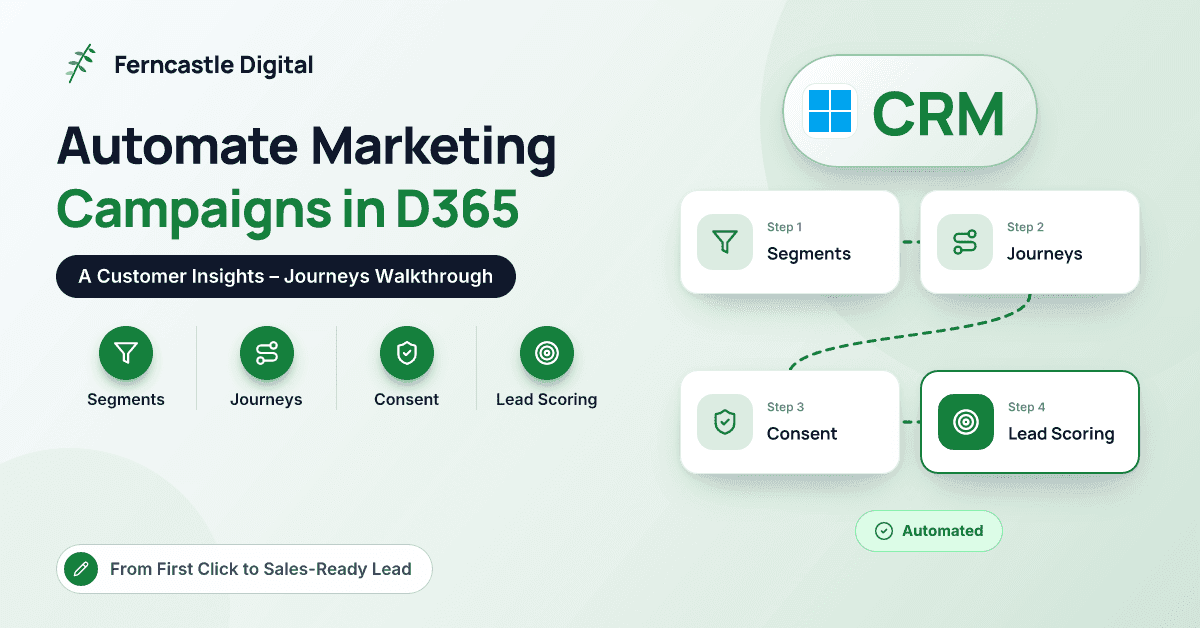
First, the name. Dynamics 365 Marketing is now Dynamics 365 Customer Insights – Journeys. Microsoft brought its marketing app and its customer data platform together as Dynamics 365 Customer Insights, made up of two apps: Customer Insights – Journeys for campaigns and Customer Insights – Data for unified customer profiles. If you're looking for how to automate marketing campaigns in Dynamics 365 Marketing, Journeys is the product you want, even though the old name still turns up in documentation and job adverts.
The challenge hasn't changed with the name. A marketing manager at a professional or financial services firm has a few thousand contacts in Dynamics 365, a newsletter sent by hand, webinar sign-ups in a spreadsheet, and a sales team asking where the leads are. This article walks through building an automated campaign end to end: segments, triggers, journeys, email design, consent, lead scoring and the hand-off to Sales, and measuring results. It reflects how we build campaigns for clients at Ferncastle, with UK compliance in mind.
What Happened to Dynamics 365 Marketing?
Alongside the rename, Microsoft changed the app's foundations. The older outbound marketing module, built around scheduled batch sends, has been retired in favour of real-time journeys, which react to customer behaviour as it happens and support email, text messages, push notifications and custom channels. Everything here assumes real-time journeys. If you still have campaigns built in outbound marketing, plan to rebuild rather than copy them, which is also a good chance to simplify.
Journeys runs on Dataverse, the same platform as Dynamics 365 Sales, so when both are in the same environment, contacts, leads and accounts are shared between marketing and sales rather than synchronised.
What Do You Need in Place Before You Build?
- A clear goal. One measurable outcome per journey: registrations, consultations booked or sales-ready leads.
- Domain authentication. Authenticate the domain you send from, with your IT team checking DKIM, SPF and DMARC. Major mailbox providers have tightened requirements for bulk senders, and unauthenticated mail increasingly lands in spam.
- A compliance profile. This defines consent purposes and topics, the preference centre and unsubscribe behaviour (more below).
- A brand profile. Logo, colours, fonts and default footer, so every email looks consistent.
- Clean data. Deduplicated contacts, key fields such as industry, role and region populated, and agreed ownership of leads.
How Do You Build the Right Segment?
Segments define who enters a journey. You build them in the segment builder from Dataverse attributes, such as contact fields, related accounts and lead status, and from behaviour, such as opening an email, submitting a form or attending an event. You can describe a segment in plain language and let Copilot draft the conditions, then refine them yourself. If you also use Customer Insights – Data, you can target its unified profiles and segments too.
Keep segments purposeful. "All contacts" is not a segment; "finance directors at clients with turnover above £10m who haven't attended an event this year" is. Check the membership count before you publish, because an unexpectedly large or small number usually means a logic error.
How Do Triggers Start a Journey?
Journeys start in one of two ways. A segment-based journey moves everyone in a segment through the same steps, which suits newsletters and announcements. A trigger-based journey starts when something happens: a marketing form is submitted, an event registration is created, an email link is clicked, or a Dataverse record changes, such as a lead's status. Custom triggers let developers start journeys from other business events.
Trigger-based journeys are where automation really earns its keep, because the message arrives while the contact's interest is still fresh.
How Do You Build the Journey Itself?
Here's a hypothetical campaign of the kind we build regularly. A mid-sized accountancy practice offers a downloadable guide to year-end planning for business owners, and the goal is to turn downloads into booked consultations.
| Step | Journey element | Purpose |
|---|---|---|
| 1 | Trigger: marketing form submitted (guide download) | Start the moment interest is shown |
| 2 | Send email: guide link and a short welcome | Deliver what was promised, immediately |
| 3 | Wait three days | Give the contact time to read |
| 4 | Branch: did they click the guide link? | Separate engaged contacts from the rest |
| 5a | If yes: case-study email with a consultation link | Move engaged contacts towards a conversation |
| 5b | If no: reminder with a shorter summary | Offer a second chance without pestering |
| 6 | Goal and exit: consultation booked | Stop marketing to people Sales is already speaking to |
Keep the first version short; you can add steps once you see the data. Set the journey goal so you measure outcomes rather than opens, and define exit criteria so contacts who become clients or opt out leave cleanly. Copilot can draft a journey from a plain-language description, which is a quick way to get a first version onto the canvas, but review every step before you publish.
How Do You Design Emails That Get Read?
The email designer is drag-and-drop, with your brand profile applied. Personalise with dynamic text, such as first name or account manager, and always set fallback values so nobody receives "Dear ,". Conditional content lets one email show different blocks to different audiences. Copilot can suggest draft copy, which helps with a blank page, but it still needs your firm's voice and a compliance check.
Our working rules: one primary call to action, a layout that still makes sense when images are blocked, mobile previews, and test sends to real Outlook and Gmail inboxes. Every commercial email needs a working unsubscribe or preference centre link.
How Do You Handle Consent and Compliance?
Customer Insights – Journeys records consent per contact point, meaning each email address or phone number, rather than as a single tick box on the contact. A compliance profile defines purposes (for example, commercial versus transactional messages), optional topics within them such as events or newsletters, the preference centre, and whether double opt-in applies. Each purpose can require explicit opt-in or send unless someone has opted out, and because every message is tied to a compliance profile and purpose, consent is checked at send time.
For UK organisations, two sets of rules matter: UK GDPR for processing personal data, and PECR for electronic marketing. Broadly, marketing emails to individuals need consent or the "soft opt-in" for existing customers, while emails to corporate addresses have more latitude but still need clear sender identification and an easy opt-out. Take your own legal advice and configure the compliance profile to match. Migrate existing consent records carefully too; in our experience, that's where many consent problems begin.
How Does Lead Scoring Hand Off to Sales?
Lead scoring turns engagement into a signal Sales can act on. In Journeys you build a scoring model that awards points for behaviour (form submissions, email clicks, event attendance) and for fit (job title, industry, organisation size), then set the threshold at which a lead becomes sales-ready. Agree that threshold with Sales, not just marketing, and review it after the first month.
The hand-off is where many campaigns stall. When a lead crosses the threshold, make something happen: assign it to the right owner or queue, notify them in Teams or Outlook, and set a follow-up expectation, such as a call within two working days. Because Journeys and Sales share Dataverse, the salesperson sees the lead's score and engagement on the record. When Sales qualifies the lead, it becomes an opportunity, and that link is what lets you report on pipeline influenced by marketing. For more on scoring approaches, see predictive lead scoring with AI-driven CRM.
How Do You Measure Results?
Each journey shows analytics at every step: contacts entered, deliveries, opens, clicks, branches taken and goal completions, and each email has its own performance view. A/B tests on subject lines or content show what works, as long as you test one variable at a time.
Treat open rates with caution, because privacy features in some email clients inflate them. Clicks, form submissions, consultations booked and goal completions are more reliable. The measure leadership cares about, though, is pipeline: how many sales-ready leads a journey produced, how many became opportunities, and their value. Report that monthly, with unsubscribe and bounce rates as health checks, and use Power BI if you want journey data and Sales pipeline in one view.
Pro tip: Build your first journey around a single high-intent trigger, such as a guide download or event registration, rather than a big newsletter. You'll get cleaner data, a faster win and a template for everything that follows.
Conclusion
Dynamics 365 Marketing may now be Customer Insights – Journeys, but the job is unchanged: reach the right people at the right moment and pass genuine interest to Sales. Put the foundations in place first (domain authentication, a compliance profile and clean data), then build purposeful segments, trigger-based journeys with clear goals, well-tested emails and a lead-scoring threshold Sales has agreed to. Measure pipeline rather than opens, and refine as the data comes in. If you're new to the wider product family, our beginner-friendly overview of Dynamics 365 is a useful starting point.
If you'd like help designing or reviewing your first journeys, the team at Ferncastle Digital would be happy to talk it through.
Frequently Asked Questions
Is Dynamics 365 Marketing still available?
The product continues under a new name, Dynamics 365 Customer Insights – Journeys, as part of Dynamics 365 Customer Insights. The older outbound marketing module has been retired in favour of real-time journeys, so new campaigns should be built there.
Do I need Dynamics 365 Sales to use Customer Insights – Journeys?
No. Journeys can run on its own with contacts and leads in Dataverse. The value grows when you use it alongside Dynamics 365 Sales, because marketing and sales share the same records and the lead hand-off becomes part of one process.
Can Customer Insights – Journeys send text messages as well as email?
Yes. Real-time journeys support email, text messages and push notifications, plus custom channels. Text messaging requires setting up a supported provider and carries its own consent requirements, so plan for both.
How is Customer Insights – Journeys licensed?
It's licensed at tenant level rather than per user, with capacity linked to the number of contacts you market to, and additional capacity can be purchased. Licensing details change, so check current Microsoft terms or ask your partner for a review before you scale up your database.