What Is Cloud ERP? Benefits, Features & How It Works

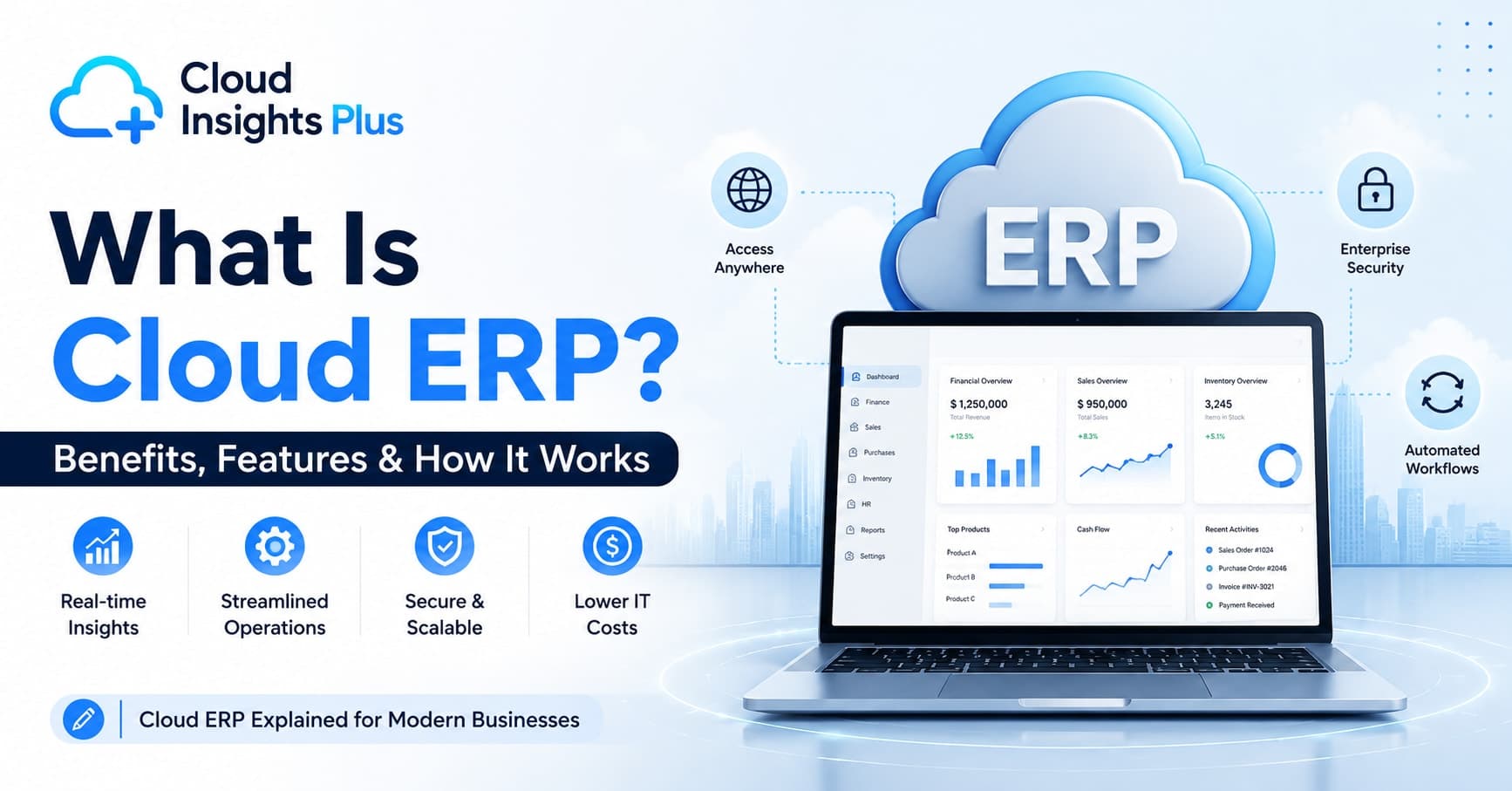
Cloud ERP is an enterprise resource planning system that is hosted on remote servers and accessed over the internet, rather than installed on a company's own on-site hardware. It brings finance, inventory, supply chain, HR, and other core business functions into one connected system that teams can access from a browser or app, from anywhere.
Recent market research shows cloud ERP has become the leading ERP deployment segment, although the reported share varies by research firm, market definition, and methodology. For example, Grand View Research estimates cloud represented 54.4% of ERP software market revenue in 2025.
This guide explains what cloud ERP is, how it works, where it fits compared to on-premise and hybrid systems, what it costs, and how to decide if it's the right move for your business.
Key Takeaways
Cloud ERP is hosted and maintained by a vendor and accessed online, usually through a subscription (SaaS) model.
It generally costs less upfront and deploys faster than on-premise ERP, but carries ongoing subscription costs.
Security follows a shared responsibility model: the vendor secures the infrastructure, but the business is still responsible for user access and internal controls.
Cloud ERP suits businesses that want lower upfront investment, remote access, and easier scaling. On-premise or hybrid ERP can still make sense for organizations with strict data residency, heavy customization needs, or existing infrastructure investments.
Total cost of ownership includes more than the subscription fee: implementation, data migration, integrations, customization, training, and support all factor in.
What Is Cloud ERP?
Cloud ERP is enterprise resource planning software delivered over the internet from a vendor's servers, instead of being installed and run on a company's own on-premise infrastructure.
Rather than purchasing servers and managing the software in-house, a business subscribes to cloud ERP software and accesses it through a web browser, desktop client, or mobile app. The vendor is responsible for hosting, maintaining, securing, and updating the underlying system.
Most cloud ERP today is delivered as SaaS ERP, meaning the software, infrastructure, and maintenance are bundled into a single subscription. That's an important distinction to understand before comparing vendors, so let's look at it directly.
Cloud ERP vs SaaS ERP: What's the Difference?
Cloud ERP describes where the system runs (on vendor-hosted infrastructure, accessed online); SaaS ERP describes how it's delivered and paid for (as a subscription service the vendor fully manages). In practice, the two terms overlap almost completely.
Technically, "cloud ERP" is the broader term. It can include:
SaaS ERP – the vendor hosts, maintains, and updates the software; the business pays a recurring subscription. This is the most common form of cloud ERP today.
Cloud-hosted (IaaS) ERP – a business runs its own ERP license on cloud infrastructure (like AWS or Azure) that it manages itself, rather than a fully managed vendor service.
For most small and mid-sized businesses, "cloud ERP" and "SaaS ERP" mean the same thing in practice. The distinction matters mainly for larger enterprises deciding whether they want a fully managed service or more control over their own cloud environment.
Public, Private, and Hybrid Cloud ERP
Not all cloud ERP is deployed the same way. The deployment model affects cost, control, and compliance.
Deployment Type | How It Works | Best For |
|---|---|---|
Public cloud | Shared infrastructure across multiple customers, managed entirely by the vendor | Small and mid-sized businesses wanting the lowest cost and fastest setup |
Private cloud | Dedicated infrastructure for a single organization, hosted by the vendor or a third party | Businesses with stricter compliance, security, or data isolation requirements |
Hybrid cloud | A mix of cloud and on-premise systems, often keeping sensitive data on-site while running other functions in the cloud | Enterprises migrating gradually, or those with regulatory constraints on certain data |
Public cloud is the most common model for small and mid-sized businesses because it's the most affordable and requires the least setup. Private and hybrid models typically appear in industries like healthcare, finance, or government, where data residency and compliance requirements are stricter.
How Cloud ERP Works
Cloud ERP works by storing a company's business data and application logic on the vendor's servers, which employees access remotely through the internet, with the vendor handling hosting, security, and updates.
The basic mechanics:
Hosting – The software and company data live on the vendor's servers, typically distributed across multiple data centers for redundancy.
Access – Employees log in through a browser or app from the office, home, or while traveling.
Shared database – Finance, sales, inventory, and other departments read from and write to a single database, keeping information consistent across the business.
Automatic updates – The vendor releases new features and security patches on a regular schedule, without requiring the customer's IT team to install anything manually.
Subscription billing – Businesses pay recurring fees, usually based on user count, modules, or usage volume.
Integrations – APIs connect the ERP to other business tools, like CRM, e-commerce platforms, or payroll systems, so data moves between systems without manual re-entry.
Cloud ERP vs On-Premise ERP: Which Is Right for Your Business?
Cloud ERP is generally the better fit for businesses that want lower upfront costs and faster deployment, while on-premise ERP tends to suit organizations that need full control over infrastructure and have the internal IT resources to manage it.
Factor | Cloud ERP | On-Premise ERP |
|---|---|---|
Hosting | Vendor's remote servers | Company's own servers or data center |
Upfront cost | Lower (subscription-based) | Higher (hardware and license costs) |
Ongoing cost | Recurring subscription fees | Maintenance, upgrades, and IT staffing |
Maintenance | Handled by the vendor | Handled by internal IT team |
Updates | Automatic and continuous | Scheduled manually, often disruptive |
Accessibility | Available from any location with internet | Usually limited to the company network or VPN |
Implementation time | Typically weeks to a few months | Often several months to over a year |
Customization depth | Moderate, within the vendor's framework | Can be extensive, but requires more resources |
Data control | Shared responsibility with the vendor | Full control, but full responsibility too |
Best suited for | Businesses prioritizing flexibility and lower upfront spend | Organizations with strict data residency, compliance, or deep customization needs |
Neither model is universally better. The right choice depends on your regulatory environment, IT capacity, budget structure, and how much customization your operations genuinely require.
Cloud ERP Examples
The examples below illustrate the range of platforms in the market. This is not a ranking or endorsement, and businesses should verify current features and pricing directly with each vendor before deciding.
Oracle NetSuite – A long-established, fully cloud-native ERP platform commonly used by growing mid-market businesses for financial management, inventory, and e-commerce integration.
SAP S/4HANA Cloud – SAP's cloud ERP offering, generally used by larger enterprises with complex manufacturing, supply chain, or global finance needs.
Microsoft Dynamics 365 – A modular cloud ERP and CRM suite that integrates with the broader Microsoft ecosystem, covering finance, sales, and operations.
Odoo – An open-source-based ERP available in cloud and self-hosted versions, often chosen for its flexibility and lower entry cost.
Acumatica – A cloud ERP platform that uses usage-based pricing rather than strictly per-user pricing, which can suit businesses with variable headcounts.
Infor CloudSuite – A set of industry-specific cloud ERP products aimed at sectors such as manufacturing, healthcare, and distribution.
Before shortlisting any vendor, confirm current module availability, pricing structure, and support terms directly with the vendor, since these details change over time.
Cloud ERP Features
Core cloud ERP features typically include a centralized database, real-time reporting, mobile access, automatic updates, and modular functionality that can scale as the business grows.
Centralized database – All departments work from one source of truth, reducing duplicate entry and reconciliation errors.
Real-time reporting and dashboards – Leadership can view current financial and operational data instead of waiting for manual reports.
Mobile access – Employees can approve orders, check inventory, or review reports from a phone or tablet.
Automatic updates – The vendor maintains the latest, most secure version, without requiring manual IT work.
Modular structure – Businesses activate only the functionality they need and add more as they grow.
API-based integrations – Native or third-party connectors link the ERP to other business systems.
Multi-currency and multi-entity support – Useful for businesses operating across regions or subsidiaries.
Role-based access control – Restricts data visibility based on job function, supporting internal security policy.
Cloud ERP Modules
Most cloud ERP systems are built around modules, so businesses only pay for and configure what they actually use.
Module | What It Covers |
|---|---|
Financial management | General ledger, accounts payable/receivable, budgeting, tax compliance |
Inventory management | Stock levels, warehouse tracking, reorder points |
Supply chain management | Procurement, vendor management, logistics |
Human resources | Payroll, employee records, attendance, benefits |
Customer relationship management (CRM) | Sales pipeline, customer records, support tracking |
Manufacturing | Production planning, bill of materials, quality control |
Project management | Resource allocation, budgeting, timelines |
Business intelligence and reporting | Dashboards, forecasting, custom reports |
Many businesses start with finance and inventory modules, then add HR, manufacturing, or CRM modules as operational needs expand.
Cloud ERP Benefits
The main benefits of cloud ERP are lower upfront costs, faster deployment, remote accessibility, and easier scalability compared to on-premise systems.
Lower upfront investment – No servers to purchase, since infrastructure costs are built into the subscription.
Faster implementation – Deployment is typically quicker than on-premise rollouts because there's no hardware setup involved.
Remote accessibility – Teams across multiple locations can work from the same live data.
Reduced IT burden – The vendor handles updates, patching, and infrastructure maintenance.
Scalability – Businesses can add users, storage, or modules without a major infrastructure overhaul.
Built-in redundancy – Vendors typically maintain backups across multiple data centers, reducing the risk of data loss from a single point of failure.
More predictable budgeting – Subscription pricing spreads cost over time instead of requiring a large one-time payment.
Disadvantages and Limitations of Cloud ERP
Cloud ERP isn't the right fit for every business, and it's worth weighing the trade-offs honestly.
Ongoing costs add up – Subscription fees continue for as long as you use the system, and over several years the total cost can approach or exceed an on-premise license, depending on the vendor and scale.
Internet dependency – Without a stable connection, access to the system can be disrupted.
Less infrastructure control – Businesses rely on the vendor's uptime, security practices, and update schedule.
Customization limits – Deep, highly specific customizations can be harder to implement than in an on-premise system built entirely in-house.
Data residency and compliance constraints – Some industries or countries have rules about where data can be stored, which may limit which cloud ERP vendors or regions are viable.
Vendor lock-in – Migrating away from a cloud ERP platform later can be time-consuming, particularly if the vendor uses a proprietary data structure.
When Cloud ERP Is a Good Fit (and When It Isn't)
Cloud ERP tends to be a good fit for businesses that want lower upfront costs, remote access, and faster deployment; on-premise or hybrid ERP tends to fit better for organizations with strict compliance needs, heavy customization requirements, or existing infrastructure investments they don't want to abandon.
Cloud ERP is generally a strong fit when:
You want to avoid large upfront hardware and licensing costs
Your team works across multiple locations or remotely
You need to scale users or modules up or down as the business changes
You don't have a large internal IT team to manage infrastructure
On-premise or hybrid ERP may be worth considering when:
Your industry has strict data residency or regulatory requirements that limit cloud storage
You need deep, highly specific customization that off-the-shelf cloud modules can't support
You've already invested heavily in on-site infrastructure and IT staff
You operate in locations with unreliable internet connectivity
Cloud ERP for Small Business
Cloud ERP works well for small businesses because it removes the need for in-house servers and large IT teams, letting smaller companies access enterprise-grade tools on a subscription basis.
Small businesses previously avoided ERP software because on-premise systems were expensive and complex to maintain. Cloud ERP changes that by offering:
Entry-level pricing tiers based on user count or module selection
No need for in-house servers or a dedicated IT department
Faster onboarding compared to heavily customized on-premise deployments
The ability to start with core modules, like accounting and inventory, and expand later
That said, small businesses should still budget for implementation and training time, not just the subscription fee, since those costs are often underestimated.
Cloud ERP Implementation
Cloud ERP implementation typically involves planning, data migration, configuration, testing, training, and go-live, and generally takes anywhere from a few weeks to several months depending on business complexity.
A typical implementation process includes:
Needs assessment – Identify which departments and processes the ERP needs to support.
Vendor and module selection – Choose a platform and the specific modules required.
Data migration – Move existing records (financials, customer data, inventory) into the new system.
Configuration – Set up workflows, user roles, and permissions to match business processes.
Testing – Validate the system in a sandbox environment before go-live.
Training – Prepare employees to use the new interface and workflows.
Go-live and support – Launch company-wide, with ongoing vendor support for troubleshooting.
Implementation timelines depend heavily on data complexity, the number of modules involved, and how much process redesign is needed, not just company size.
Cloud ERP Migration
Cloud ERP migration is the process of moving from an existing on-premise or legacy system into a cloud platform, and it generally requires more data cleanup and mapping than a first-time ERP implementation.
Migration adds a few extra considerations beyond standard implementation:
Data cleanup – Legacy systems often store data inconsistently, so records need to be standardized before migration.
Data mapping – Fields and structures in the old system need to be matched to the new system's format.
Parallel running – Many businesses run the old and new systems side by side briefly to confirm accuracy before fully switching over.
Downtime planning – Even with cloud systems, some transition downtime should be planned for and communicated to staff.
Businesses migrating from an on-premise system should budget extra time for this phase, since data quality issues are one of the most common causes of implementation delays.
Cloud ERP Security
Cloud ERP security operates on a shared responsibility model: the vendor is generally responsible for securing the underlying infrastructure, while the business is responsible for managing user access, permissions, and internal data handling practices.
This is an important nuance. Cloud ERP is not automatically safer than on-premise ERP, and it's not automatically riskier either. Outcomes depend heavily on how well each side of that shared responsibility is executed.
Security measures commonly offered by cloud ERP vendors include:
Data encryption in transit and at rest
Multi-factor authentication (MFA) for logins
Role-based access control to limit who can view or edit sensitive data
Compliance certifications, which vary by vendor and should be verified directly (for example, SOC 2 or ISO 27001, where applicable)
Automated backups across multiple data centers
Activity monitoring to flag unusual account behavior
What the business is typically responsible for:
Setting appropriate user roles and permissions
Enforcing strong password and authentication policies
Reviewing third-party integration access
Training employees on phishing and account security
Misconfigured permissions and weak internal access controls are common causes of data exposure in cloud systems, so the vendor's security measures are only part of the picture.
Cloud ERP Integration
Cloud ERP integration connects the ERP system with other business tools, such as CRM, e-commerce platforms, payment processors, and payroll software, so data flows between systems automatically instead of being entered manually in multiple places.
Common integrations include:
E-commerce platforms, to sync orders and inventory in real time
Payment gateways, for automated invoicing and reconciliation
CRM systems, to align sales and finance data
Payroll and HR software, to sync employee and compensation data
Business intelligence tools, for advanced reporting and forecasting
Most modern cloud ERP platforms offer API access or pre-built connectors, which reduces the custom development work needed during integration, though the depth of available integrations varies by vendor.
Cloud ERP Pricing and Total Cost of Ownership
Cloud ERP pricing is generally subscription-based, calculated by user count, modules activated, or usage volume, but the subscription fee is only one part of the total cost of ownership.
Rather than quoting a single price range, which varies enormously by vendor, industry, and company size, it's more useful to understand the components that make up total cost:
Cost Component | What It Covers |
|---|---|
Subscription fee | Recurring cost, usually billed monthly or annually |
User licenses | Often priced per named user or per active user |
Modules activated | Finance-only setups cost less than full-suite deployments |
Implementation services | Vendor or partner fees for setup and configuration |
Data migration | Cost of moving and cleaning data from legacy systems |
Integrations | Connecting the ERP to existing tools, which may involve development work |
Customization | Building workflows or features beyond the standard configuration |
Training | Time and resources to onboard employees |
Ongoing support | Standard vs. premium support tiers, which affect response times and service levels |
Because these components vary so widely by vendor and business complexity, the most reliable way to estimate total cost is to request a detailed quote from shortlisted vendors that breaks out each of these line items, rather than relying on a generic published price range.
Choosing the Best Cloud ERP System for Your Business
There's no single "best" cloud ERP system that fits every business. The right choice depends on:
Industry-specific needs – manufacturing, retail, and services often require different modules
Company size and growth plans – a 10-person business has different needs than a 500-person enterprise
Budget structure – total cost of ownership, not just the subscription price
Integration requirements – which existing tools must connect with the ERP
Compliance and data residency needs – especially relevant for regulated industries
A practical approach is to shortlist two or three platforms that serve your industry and size, request demos and detailed pricing breakdowns, and evaluate based on how well each fits your existing workflows, rather than choosing based on brand recognition alone.
Frequently Asked Questions
Is cloud ERP worth it for a small business?
For most small businesses, yes. Cloud ERP removes the need for expensive servers and in-house IT staff, and lets a company start with a few core modules and scale up as it grows. The main trade-off is an ongoing subscription cost instead of a one-time purchase, but the lower upfront investment and faster setup generally outweigh that for smaller teams.
What are the disadvantages of cloud ERP?
Common drawbacks include ongoing subscription costs that accumulate over time, dependence on a stable internet connection, less control over the underlying infrastructure compared to on-premise systems, and potential limits on deep customization. Businesses in regulated industries should also check data residency requirements before choosing a vendor.
How much does cloud ERP cost?
Cloud ERP pricing is typically based on subscription fees, user count, and modules activated, but total cost also includes implementation, data migration, integrations, customization, and training. Because these vary significantly by vendor and business complexity, it's best to request an itemized quote rather than rely on a general price range.
Is cloud ERP safer than on-premise ERP?
Not automatically. Cloud ERP security follows a shared responsibility model: the vendor secures the infrastructure, but the business still has to manage user access, permissions, and internal policies correctly. On-premise ERP gives a business full control over security, but also full responsibility for it. Neither model is inherently safer without proper execution on both sides.
How long does cloud ERP implementation take?
Implementation timelines vary by business size and complexity, but cloud ERP generally takes anywhere from a few weeks to several months. This is usually faster than on-premise implementations, which can take a year or longer, partly because there's no hardware to procure and set up.
Can cloud ERP integrate with existing software?
Yes. Most cloud ERP platforms offer API access or pre-built connectors for tools like CRM systems, e-commerce platforms, payment gateways, and payroll software, allowing data to sync automatically rather than being entered manually in multiple systems.
What is the difference between cloud ERP and SaaS ERP?
The terms overlap significantly. Cloud ERP describes any ERP system hosted and accessed online, while SaaS ERP specifically refers to the subscription-based delivery model in which the vendor hosts, maintains, and updates the software. In practice, most cloud ERP today is delivered as SaaS ERP.
Which industries benefit most from cloud ERP?
Cloud ERP is widely used across retail, e-commerce, manufacturing, distribution, professional services, and healthcare. Industries with multiple locations, remote teams, seasonal scaling needs, or fast growth tend to benefit the most, since cloud ERP makes it easier to add users, locations, or modules without major infrastructure changes.
Conclusion
Cloud ERP has become the default way many businesses approach enterprise resource planning, largely because it lowers upfront costs and speeds up deployment compared to on-premise systems. But it isn't automatically the right fit for every organization.
Businesses with strict compliance requirements, deep customization needs, or existing infrastructure investments may still find on-premise or hybrid models more appropriate. The most reliable way to decide is to map your specific requirements, budget for the full cost of ownership rather than just the subscription fee, and evaluate vendors based on how well they fit your actual workflows, not just their market presence.

Written by
Cloud Insights PlusCloud Insights Plus is an independent ERP and CRM insights platform covering SAP, Microsoft Dynamics 365, Salesforce, and HubSpot. We help buyers compare vendors side by side and connect with verified implementation partners, all in one place.